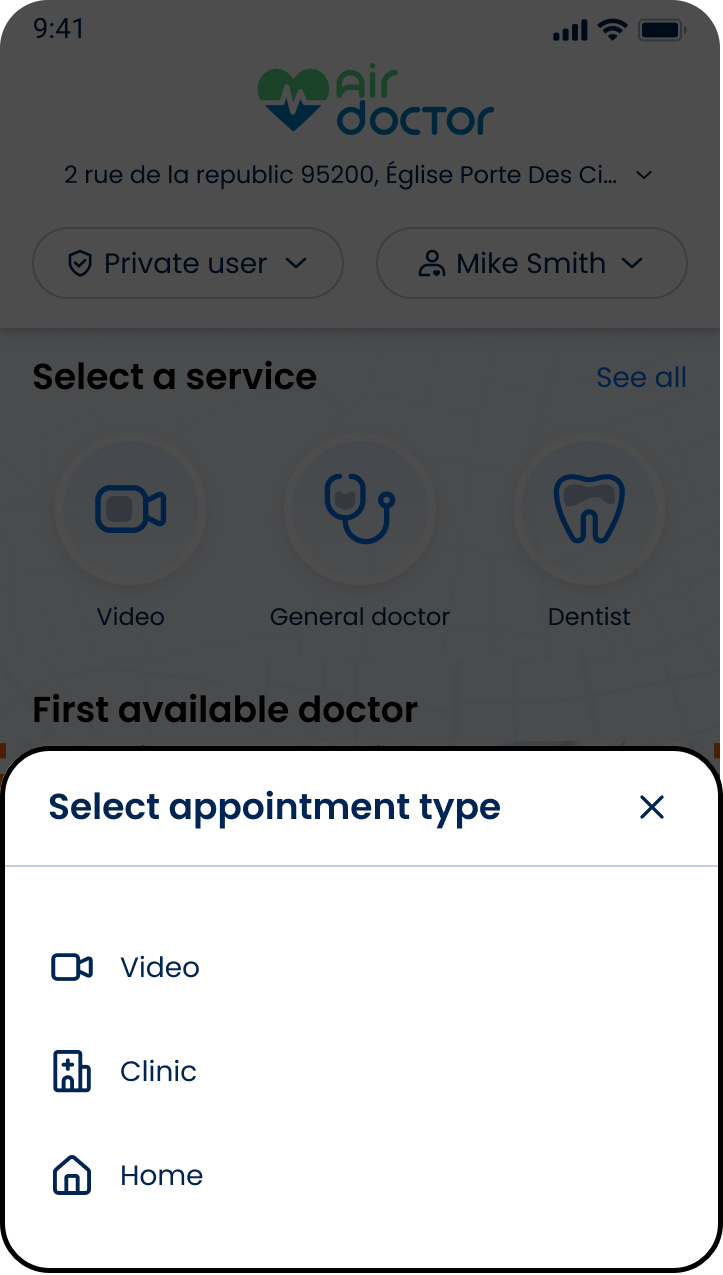
Use First Available Appointment Request to collect patient, coverage, and contact details for the first available doctor flow.
The selected visit type and matching result determine the request details.
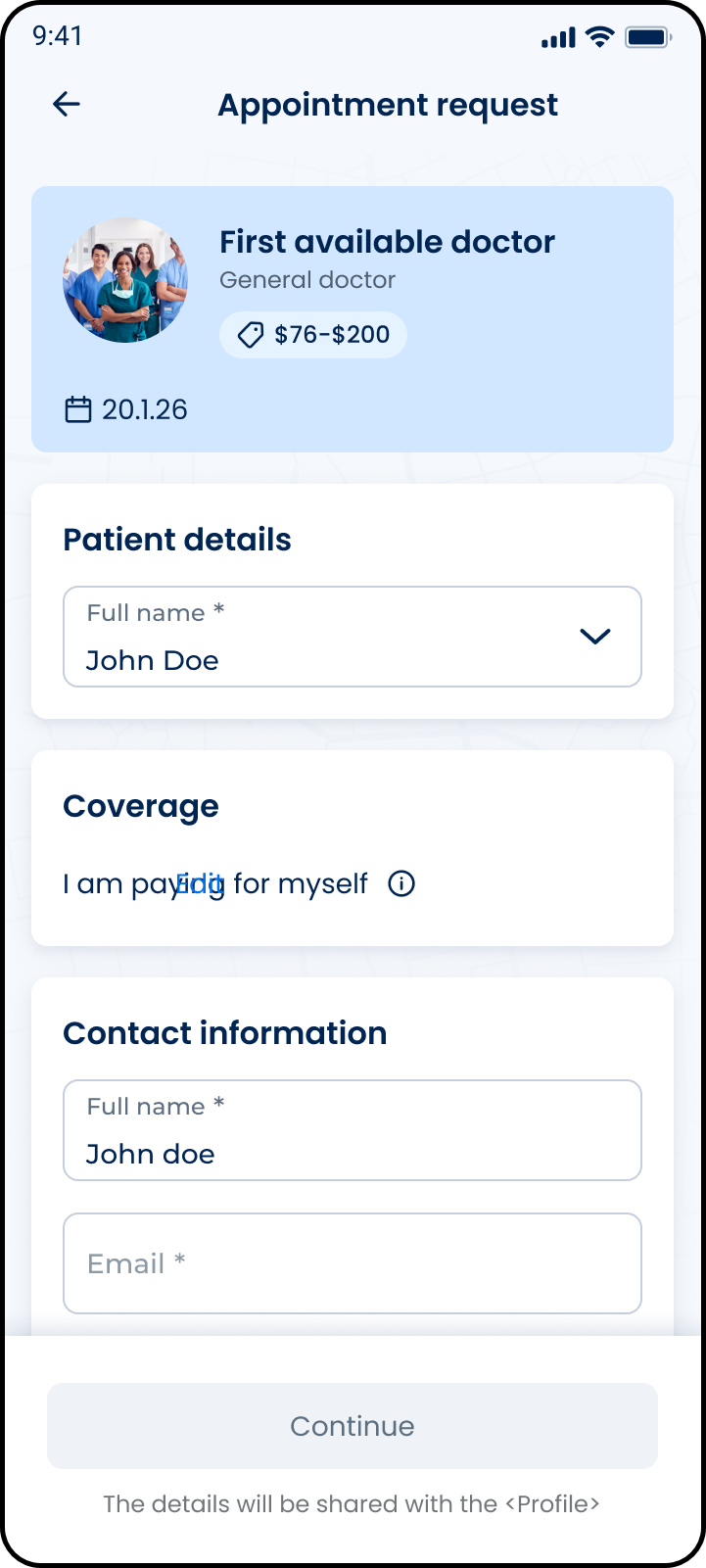
This screen includes:
| # | Element | Description |
|---|
| 1 | Appointment summary | Displays matched doctor type, visit type, date, and price range |
| 2 | Patient details | Selects or displays the patient |
| 3 | Coverage section | Displays payment or coverage context |
| 4 | Contact information | Collects required contact details |
| 5 | Continue action | Proceeds when required fields are valid |
| 6 | Profile sharing notice | Displays data-sharing notice |
Workflow
- Open the Home screen.
- Locate the First available doctor section.
- Select a supported appointment type.
- Start the first available doctor flow.
- Render the appointment request form.
- Confirm patient details.
- Review coverage context.
- Enter required contact information.
- Continue to the next booking step.
Validations
| Scenario | App Behavior | SDK Output |
|---|
| Patient missing | Block continuation | error = patient_required |
| Required contact field missing | Block continuation | error = required_field |
| Email invalid | Display validation error | error = invalid_email |
| Coverage unavailable | Display private-pay context | coverage = private |
| Required fields valid | Enable Continue action | state = ready |
| Request rejected | Display error state | status = 405 |
Actions
| Scenario | App Behavior | SDK Output |
|---|
| Request screen opened | Load appointment request form | PUT /api/v3/wizard/asap |
| Patient selected | Update patient context | patient = selected |
| Contact details updated | Update form state | contact = updated |
| Continue selected | Submit request details | state = submitted |
| Request succeeds | Continue booking flow | navigation = next |
| Request fails | Preserve editable state | state = error |
Endpoint Resources
Appointment Workflow
Address Selection
Appointment Options