Appointment Details
Use the Appointment Details screen to view a single appointment and apply page updates for the displayed appointment revision.
The screen displays appointment details, status-specific sections, and available actions based on the current appointment state.
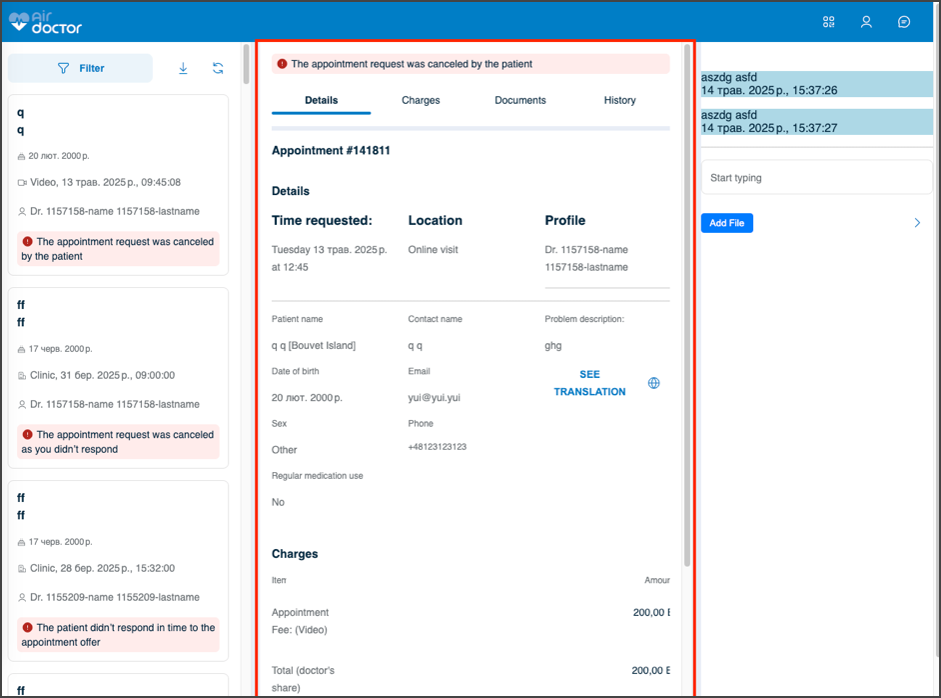
This screen includes:
| # | Element | Description |
|---|---|---|
| 1 | Appointment header | Displays provider, appointment reference, status, and appointment type |
| 2 | Status banner | Shows the current appointment state when available |
| 3 | Tab navigation | Switches between Details, Charges, and Documents |
| 4 | Preparation card | Shows appointment-specific preparation instructions |
| 5 | Appointment information | Displays date, time, location type, provider, language, and prescription availability |
| 6 | Patient details | Displays patient identity and submitted medical information |
| 7 | Uploaded documents | Displays uploaded files when available |
| 8 | Contact information | Displays appointment contact details |
| 9 | More options action | Opens additional appointment actions |
| 10 | Primary action | Starts the available appointment action, such as navigation or video start |
Appointment Type Behavior
The Appointment Details screen adapts its content and primary action based on the appointment type.
| Type | Details shown | Primary action |
|---|---|---|
| Clinic | Clinic name, address, floor or entrance details, distance, and navigation details | Navigate |
| Home | Home address and nearby location guidance | Navigate |
| Video | Video appointment label and video access instructions | Start video |
Tabs
| Tab | Content | Behavior |
|---|---|---|
| Details | Appointment information, preparation instructions, patient details, medical issue, documents, and contact information | Displays appointment details for the selected appointment type |
| Charges | Appointment cost, discounts, paid amount, and total cost | Displays charge breakdown when available |
| Documents | Appointment documents or empty document state | Displays files when available, or an empty state when none exist |
More Options
The More options action opens an additional actions popup for the selected appointment.
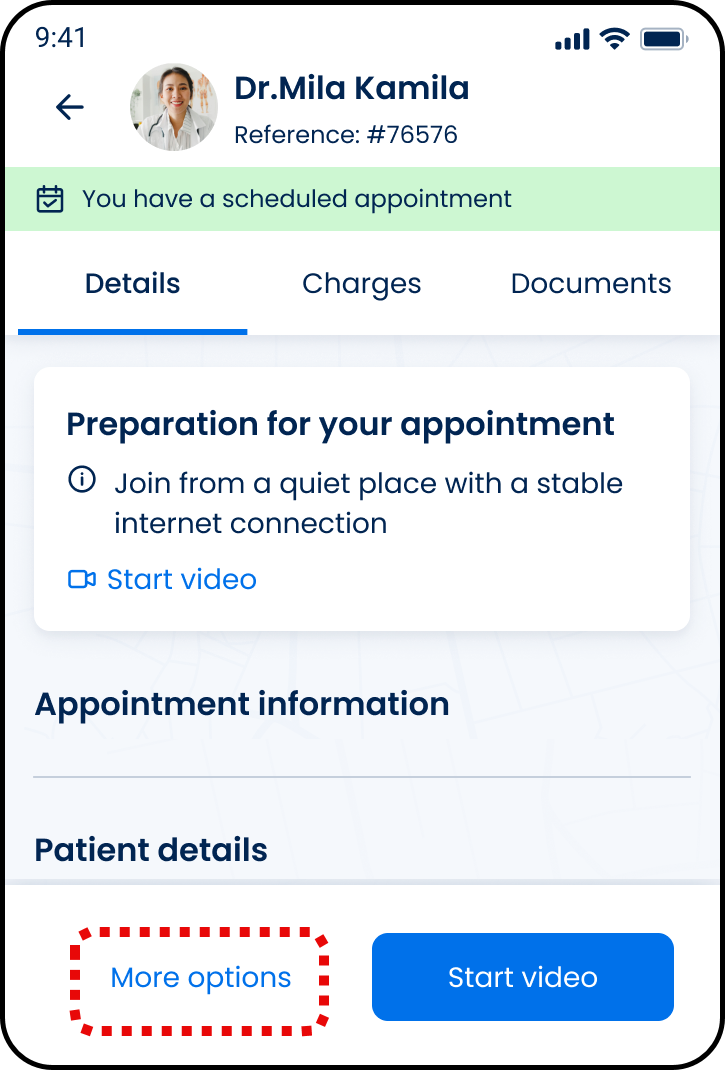
| # | Element | Description |
|---|---|---|
| 1 | More options action | Opens the additional actions popup |
| 2 | Additional actions popup | Displays appointment actions returned for the selected appointment |
| 3 | Request another appointment action | Starts another appointment request |
| 4 | Cancel appointment action | Opens the cancellation flow |
Workflow
- Open Appointment List.
- Select an appointment card.
- Review the appointment status and details.
- Open Charges or Documents when needed.
- Select More options to view secondary actions.
- Select the primary action for the appointment type.
Validations
| Scenario | App Behavior | SDK Output |
|---|---|---|
| Appointment details unavailable | Display error state | error = appointment_not_found |
| Appointment revision missing | Block update action | validation = appointment_revision_required |
| Appointment revision no longer current | Preserve current screen and display update error | Error response |
| Charges unavailable | Hide or show empty Charges state | Section omitted or empty |
| Documents unavailable | Show Documents empty state | documents = empty |
| Action unavailable for status | Hide or disable action | action = unavailable |
| Request in progress | Show loading state | state = loading |
| Request blocked | Display restriction message | HTTP 405 |
Actions
| Scenario | App Behavior | SDK Output |
|---|---|---|
| Appointment opened | Display appointment details | Appointment details returned |
| Tab selected | Display selected tab | activeTab = <tab> |
| More options selected | Open action sheet | options = open |
| Request another appointment selected | Start another appointment request | Navigation event |
| Cancel appointment selected | Open cancellation flow | Navigation event |
| Navigate selected | Open navigation flow | External navigation event |
| Start video selected | Open video appointment flow | Navigation event |
| Appointment update triggered | Apply updates for the displayed revision | PATCH /api/v3/appointments/{appointment-id}/update |
| Update succeeds | Apply returned page updates | Page updates returned |
| Back selected | Return to Appointment List | Navigation event |
| More options selected | Load additional actions popup | PUT /api/v3/appointments/{appointment-id}/more-buttons |
Endpoint Resources
Appointment Details
PUTv3/appointments/{appointment-id}
Returns the appointment details screen with available actions.
Update Appointment Details
PATCH
v3/appointments/{appointment-id}/update
Updates appointment details for a specific appointment revision and returns page updates for the currently open screen.
| Parameter | Type | Required | Description |
|---|---|---|---|
appointment-id | integer | Yes | Appointment ID being processed |
appointment-revision-id | integer | Yes | Displayed appointment revision ID to update |
Update Getting there Info
PATCH
v3/appointments/{appointment-id}/travel-duration
Updates the travel duration section for the specified appointment.