Map
Use the Map screen to display provider search results on an interactive map.
This screen supports location-based provider discovery and allows users to switch between map and list views.
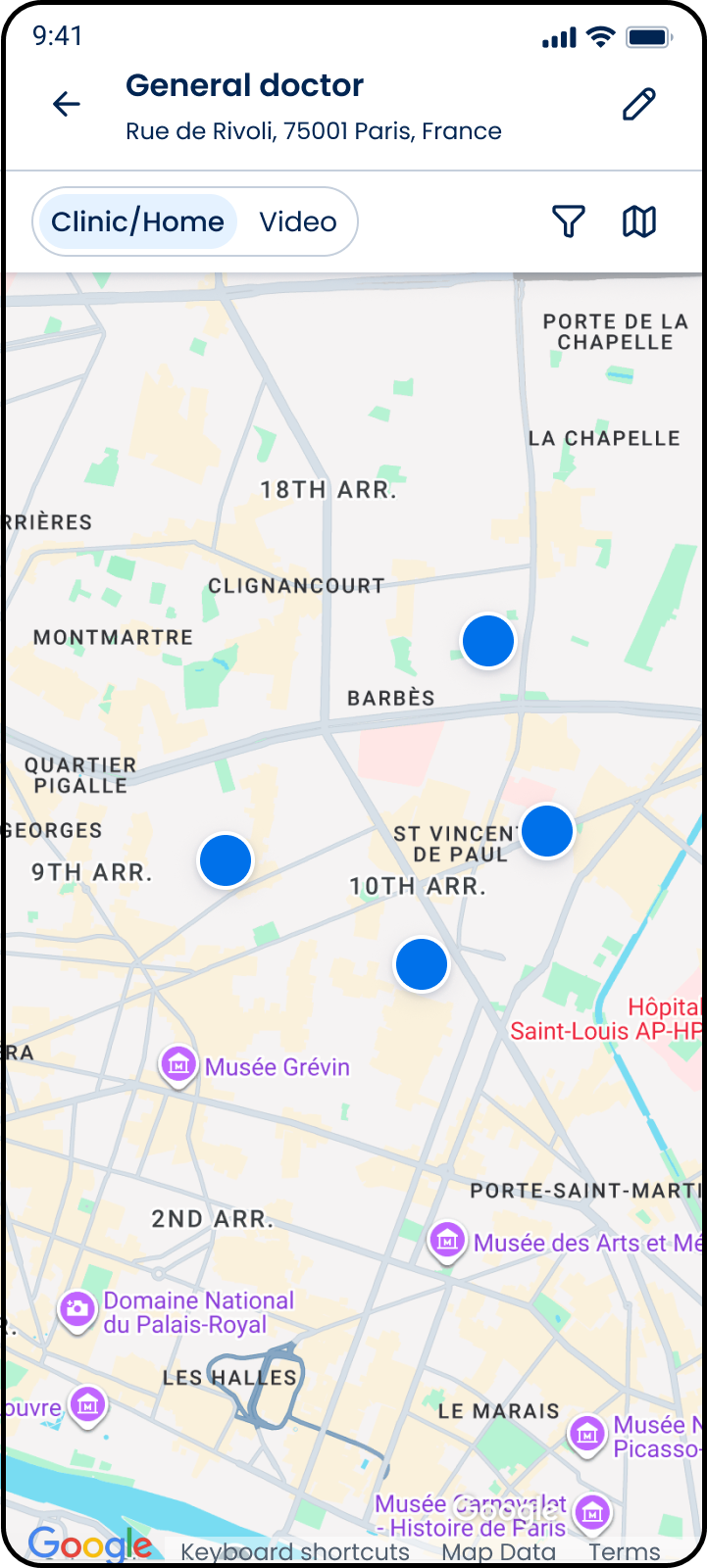
This screen includes:
| # | Element | Description |
|---|---|---|
| 1 | Header | Displays the selected specialty |
| 2 | Location subtitle | Displays the active search location |
| 3 | Back action | Returns to the previous screen |
| 4 | Edit search action | Opens the search edit screen |
| 5 | Visit type selector | Switches between Clinic/Home and Video results |
| 6 | Filter action | Opens search filters |
| 7 | View toggle | Switches between map and list views |
| 8 | Map view | Displays provider search results on a map |
| 9 | Provider location indicator | Represents provider locations returned by the search |
Workflow
- Open the Map screen.
- Review provider locations.
- Switch between visit types.
- Apply filters.
- Select a provider location.
- View updated map results.
Validations
| Scenario | App Behavior | SDK Output |
|---|---|---|
| Search location available | Center map on the selected location | PATCH /api/v3/ui-showcase/map/map/center |
| Approximate coverage enabled | Display coverage circles | PATCH /api/v3/ui-showcase/map/map/circles |
| Precise coverage enabled | Display precise coverage areas | PATCH /api/v3/ui-showcase/map/map/precised |
| No providers available | Display empty map state | providers = empty |
| Visit type changed | Refresh map results | results = updated |
| Filters applied | Refresh map results | results = filtered |
Actions
| Scenario | App Behavior | SDK Output |
|---|---|---|
| Map screen opened | Load map view | PUT /api/v3/ui-showcase/map |
| Provider location selected | Highlight provider location | provider = selected |
| Visit type selected | Update displayed results | visitType = updated |
| Filter selected | Apply filter criteria | filters = updated |
| Map centered | Reposition map viewport | PATCH /api/v3/ui-showcase/map/map/center |
| Approximate coverage displayed | Display coverage circles | PATCH /api/v3/ui-showcase/map/map/circles |
| Precise coverage displayed | Display precise coverage areas | PATCH /api/v3/ui-showcase/map/map/precised |
| List view selected | Open list view | navigation = list_view |
| Back selected | Return to previous screen | navigation = back |
Map Examples
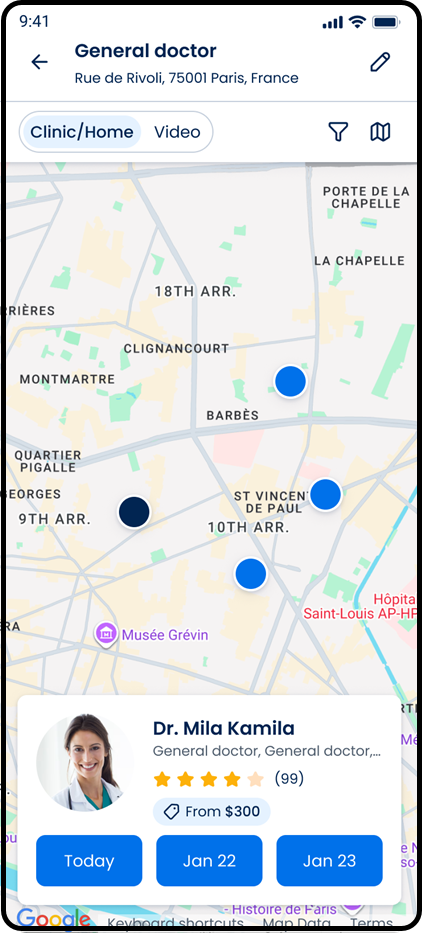
Single Doctor
Displays a single provider result and the associated provider card.
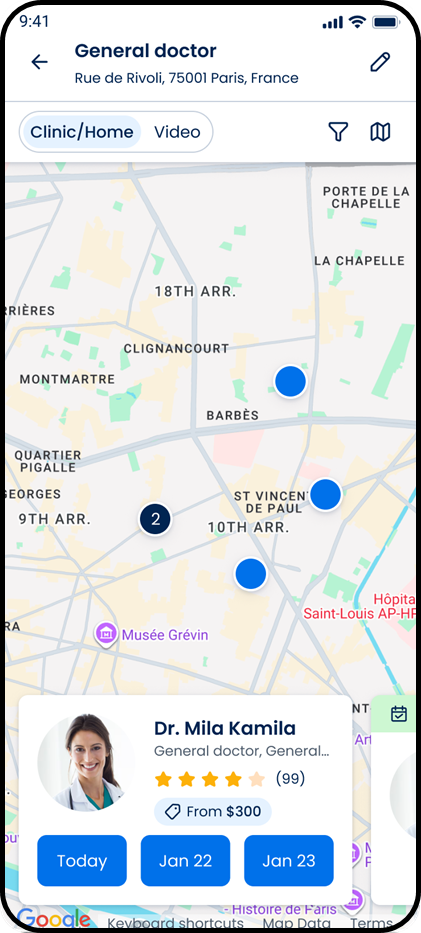
Few Doctors
Displays multiple provider results on the map.
Endpoint Resources
Map
PUT
v3/ui-showcase/map
Displays the map showcase screen.
Map Center
PATCH
v3/ui-showcase/map/map/center
Centers the map on the selected location.
Map Approximate
PATCH
v3/ui-showcase/map/map/circles
Displays approximate coverage areas on the map.
Update Map Doctors
PATCH
v3/ui-showcase/map/map/doctors
Updates the map to show the specified doctors.
Map Precised
PATCH
v3/ui-showcase/map/map/precised
Displays precise coverage areas on the map.