Chat File Preview
Use the Chat File Preview screen to review an attachment before sending it.
This screen displays file information, supports an optional message, and sends the attachment to the active chat.
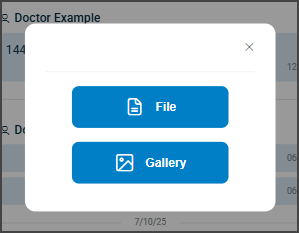
This screen includes:
| # | Element | Description |
|---|---|---|
| 1 | Close action | Closes the attachment preview |
| 2 | Attachment preview | Displays the selected file |
| 3 | File information | Displays the file name, type, and size |
| 4 | Message input | Enters a message |
| 5 | Send action | Sends the message |
Workflow
- Open the file uploader.
- Select a file.
- Review the attachment.
- Enter an optional message.
- Select Send.
Validations
| Scenario | App Behavior | SDK Output |
|---|---|---|
| File selected | Display attachment preview | file = selected |
| File information available | Display file details | fileInfo = displayed |
| Message updated | Update composer state | PATCH /api/v3/messages/send-file/update |
| File validation succeeds | Enable send action | state = ready |
| File validation fails | Display validation error | status = 405 |
| Upload unavailable | Display error state | error = upload_unavailable |
Actions
| Scenario | App Behavior | SDK Output |
|---|---|---|
| Preview opened | Display attachment preview | PUT /api/v3/messages/file-preview |
| Uploader opened | Open file picker | PATCH /api/v3/messages/open-uploader |
| Message entered | Update file submission state | PATCH /api/v3/messages/send-file/update |
| Send selected | Send file and optional message | POST /api/v3/messages/send-file |
| Close selected | Dismiss attachment preview | navigation = dismiss |
Endpoint Resources
PUT
File Preview
v3/messages/file-preview
Displays the file upload dialog for the selected chat.
Open Uploader
PATCH
v3/messages/open-uploader
Opens the file picker for the selected chat.
Update Send File
PATCH
v3/messages/send-file/update
Validates the selected file and caption, then updates the Send button state.
Save File
POST
v3/messages/send-file
Sends a file and optional caption in the selected chat.