Set Status
Use Set Status to update availability for patient requests.
Select a predefined away period or define a custom return date.
The app restores availability automatically when the selected period ends or immediately after switching back to Active.
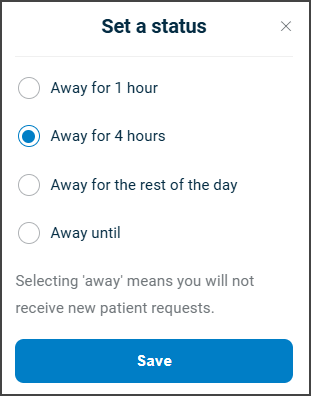
This screen includes:
- A radio group with availability options:
- Active
- Away for 1 hour
- Away for 4 hours
- Away for the rest of the day
- Away until with a custom return date
- A locale-formatted date picker for Away until.
- An informational message that explains profile visibility behavior while away.
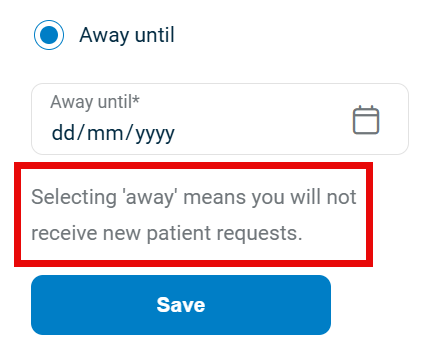
- A Save button that applies the selected status and closes the modal.
- Automatic availability restoration when the away period ends.
Workflow
Set a Short-Term Away Status
- Open the Account screen.
- Select Set status.
- Select one of the following options:
- Away for 1 hour
- Away for 4 hours
- Away for the rest of the day
- Select Save.
Set a Custom Return Date
- Open the Account screen.
- Select Set status.
- Select Away until.
- Select a future date from the calendar.
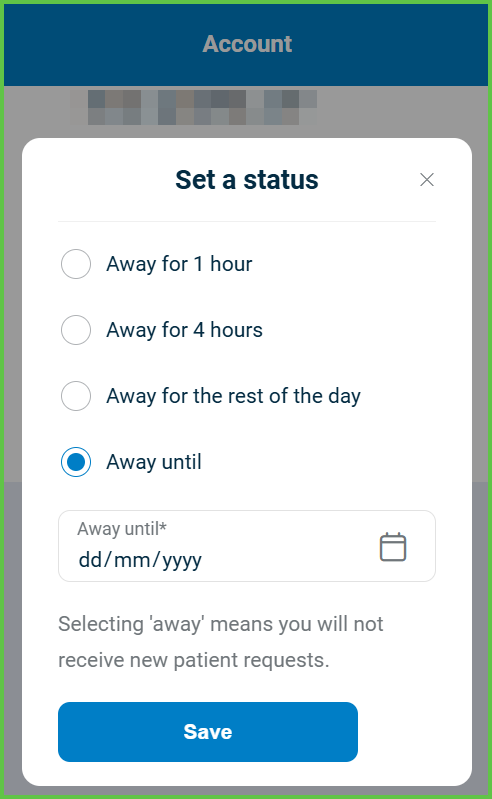
- Select Save.
note
While the profile is marked as away, new patient requests do not appear.
Resume Availability
- Open the Account screen.
- Select Set status.
- Select Active.
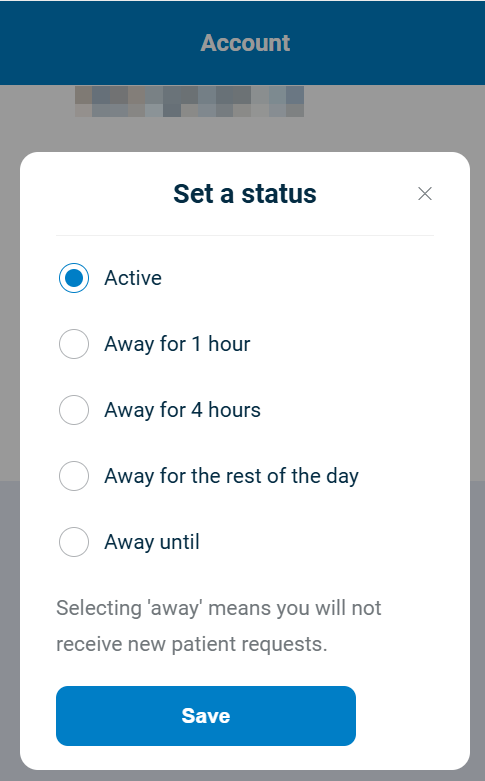
- Select Save.
Validations
| Scenario | App Behavior | SDK Output | Example |
|---|---|---|---|
| No status is selected. | The app disables Save. | Validation error. | — |
| Away until selected without a date. | The app blocks submission. | Validation error. | — |
| Selected date is in the past. | The app rejects the value. | Validation error. | — |
| User session is not authenticated. | The app blocks the update. | Authorization error. | — |
| Update succeeds. | The app closes the modal. | Status update confirmation. | — |
Actions
| Action | App Behavior | SDK Output |
|---|---|---|
| Save status change. | The app updates availability on the server. | Status update response. |
| Enter away mode. | The app hides the profile from patient search. | Availability state update. |
| Time period ends. | The app restores availability automatically. | Automatic status reset. |
| Switch back to Active. | The app restores visibility immediately. | Status update confirmation. |
Endpoint Resources
Set Status
PUT profile-status-/PUT/api/v3/availability-status
/availability-status
Displays the availability status modal and applies the selected state.
UI Element Types
| Level | Reference | Type | Value | Placement |
|---|---|---|---|---|
| 1 | status~active | Radio | Active | |
| 1 | status~one-hour | Radio | Away for 1 hour | |
| 1 | status~four-hours | Radio | Away for 4 hours | |
| 1 | status~day | Radio | Away for the rest of the day | |
| 1 | status~until | Radio | Away until: | |
| 1 | date | Date | Away until | |
| 1 | profile-away-meanings | Regular | Selecting 'away' means you will not receive new patient requests. | |
| 1 | save | Button | Save | ^ |
Toggle Away Until Visibility
PATCH
/availability-status/away-until
Shows or hides the Away until date field without reloading the screen

Set Availability Status
POST
/availability-status
Updates availability using the selected status and optional date.
Parameters
| Name | Type | Required | Description |
|---|---|---|---|
status | Enum | Yes | Availability status. |
date | Date | Conditional | Required when status equals until-date. |
Errors
| Code | Description |
|---|---|
FORBIDDEN | The user lacks permission to update availability. |
FIELDS_VALIDATION_ERROR | One or more required fields are invalid or missing. |
STATUS_CAN_NOT_BE_CHANGED | The requested status transition is not allowed. |