Error Message - 405
The Error Message modal displays backend-defined restriction messages when an operation fails with an HTTP 405 response.
The modal blocks the restricted action until the user acknowledges the message.
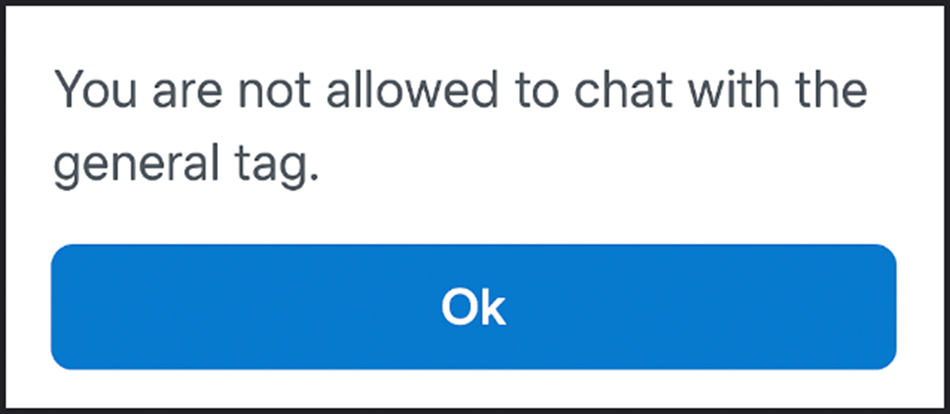
This screen includes:
-
Message area - Displays backend-provided text.
-
OK button - Dismisses the modal.
-
Blocking ovelay - Prevents interaction with the underlying screen.
Workflow
This flow starts when the backend returns an HTTP 405 response.
- Receive restriction response.
- Open the Error Message modal.
- Display backend-provided message text.
- Acknowledge the message.
- Restore the previous screen state.
Validations
These rules determine modal display and interaction behavior.
| Scenario | App behavior | SDK output |
|---|---|---|
Backend returns HTTP 405. | Display Error Message modal. | Modal state activated with restriction message. |
| Response body includes message text. | Render message without modification. | Message payload bound to modal content. |
| User interacts with background while modal is open. | Block background interaction. | No additional UI state change. |
| OK selected. | Close modal and restore prior screen state. | Modal state cleared. |
Actions
| Scenario | App behavior | SDK output |
|---|---|---|
Restricted operation returns HTTP 405. | Stop current flow and display modal. | Error state applied to current screen context. |
| OK selected. | Dismiss modal. | Previous UI state restored without navigation. |
Endpoint Resources
Error Message (405)
PUT
/error-message
Displays a blocking error modal when the backend returns an HTTP 405 response.
The modal shows a backend-defined message and requires user acknowledgment before continuing.
UI Element Types
| Level | Reference | Type | Value | Placement |
|---|---|---|---|---|
| 1 | error-message | Regular | The operation cannot be completed, policy not found. For more details, please contact 0 | |
| 1 | ok | Button | Ok |