Present Claims Type
Use Present Claims Type to let the user select the claim type before claim submission starts.
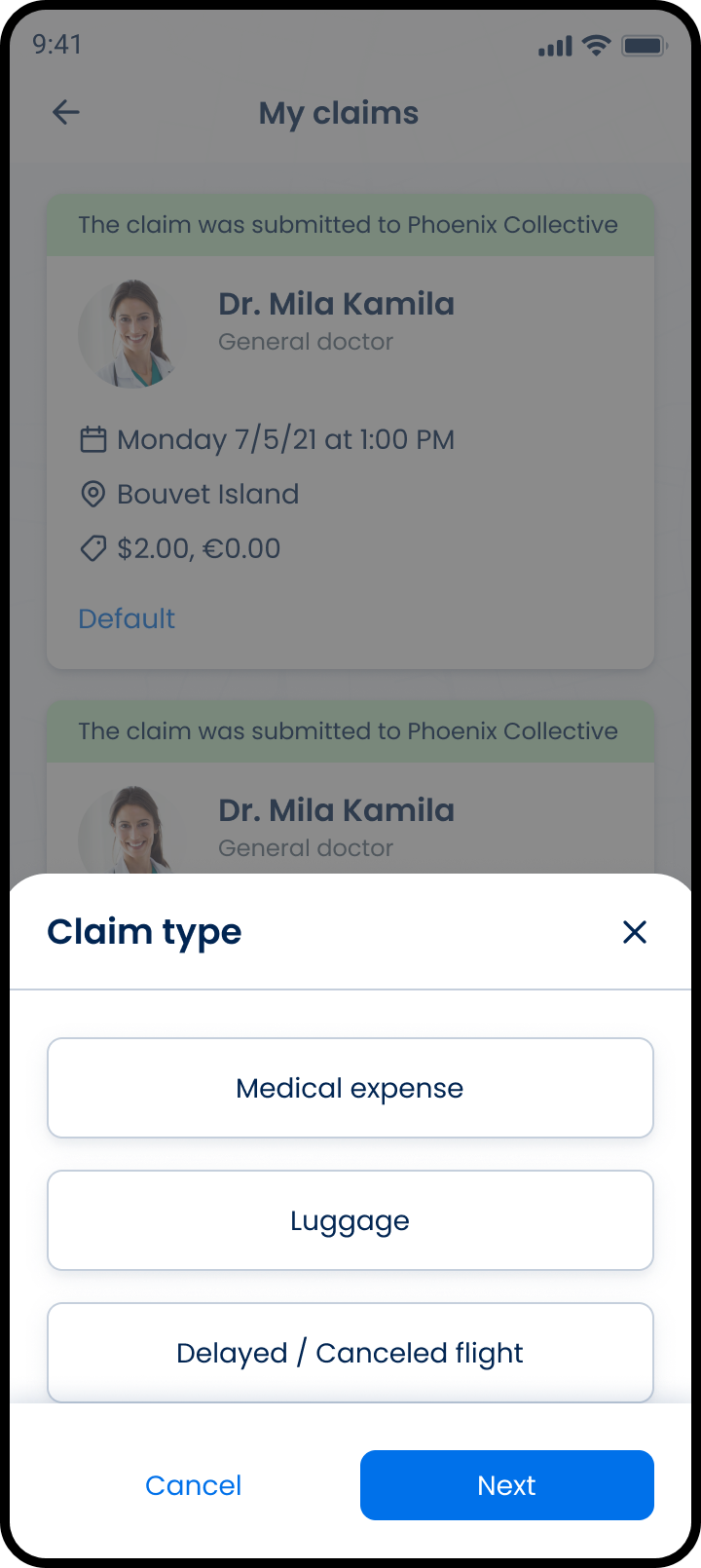
This screen includes:
| # | Element | Description |
|---|---|---|
| 1 | Claim type modal | Lists claim types. |
| 2 | Close action | Closes the modal. |
| 3 | Medical expenses option | Opens a medical expenses claim. |
| 4 | Delayed baggage option | Opens a delayed baggage claim. |
| 5 | Delayed/Canceled flight option | Opens a flight delay or cancellation claim. |
| 6 | Background claim list | Shows the claims list behind the modal. |
Workflow
- Open the claim submission flow.
- Display the claim type modal.
- Select a claim type.
- Continue to the matching claim form.
- Close the modal to return to the claims list.
Validations
| Scenario | App behavior | SDK output |
|---|---|---|
| Session invalid | Block request | state = unauthenticated |
| Claim type unavailable | Display error state | error = claim_type_unavailable |
| Claim type selected | Continue claim flow | claimType = selected |
| Modal closed | Return to claims list | state = dismissed |
| Request rejected | Display error state | status = 405 |
Actions
| Scenario | App behavior | SDK output |
|---|---|---|
| Claim flow opened | Load claim type modal | PUT /api/v3/claims/submit/type |
| Medical expenses selected | Open medical expenses claim flow | claimType = medical_expenses |
| Delayed baggage selected | Open delayed baggage claim flow | claimType = delayed_baggage |
| Delayed/Canceled flight selected | Open flight claim flow | claimType = delayed_cancelled_flight |
| Close selected | Dismiss claim type modal | state = dismissed |
Endpoint Resources
Present Claims Type
PUT
v3/claims/submit/type
Returns the claim type modal for claim submission.