Future Policy - Add Coverage
Use the Future Policy popup when the selected policy is not yet active.
The popup displays the policy start date and blocks the appointment request.
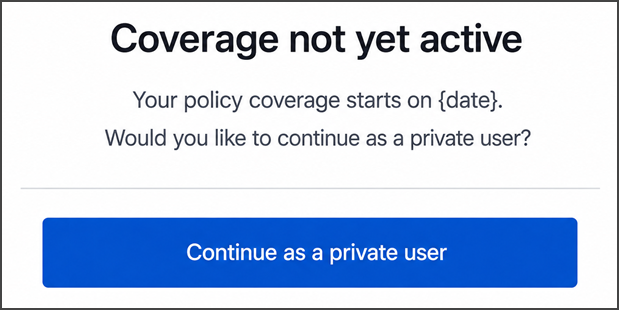
This screen includes:
| # | Element | Description |
|---|---|---|
| 1 | Future coverage message | Displays the policy start date |
| 2 | Private option | Offers continuation without coverage |
| 3 | Continue action | Continues as a private patient |
Workflow
- Detect a policy with a future start date.
- Call
PUT /api/v3/appointments/book/error/policy-not-active/embedded/future-blocking. - Display the future-policy popup.
- Block the appointment request.
- Select OK to dismiss the popup.
Validations
| Scenario | App behavior | SDK output |
|---|---|---|
| Policy is not yet active | Display the popup and block continuation | state = blocked |
| Policy start date is available | Display the start date | Page object |
Request returns 405 | Display an application error | Error response |
| Session is invalid | Reject the request | state = unauthenticated |
Actions
| Scenario | App behavior | SDK output |
|---|---|---|
| OK selected | Dismiss the popup | Close event |
Endpoint Resources
Embedded Future Blocking
PUT
v3/appointments/book/error/policy-not-active/embedded/future-blocking
Returns an embedded popup that blocks the appointment request when the selected policy is not yet active.