Appointment Request Updated
Use Updated Request Popup to display a general request-state message when the current request changes, for example when the doctor cannot accept new calls or no active working hours are available.
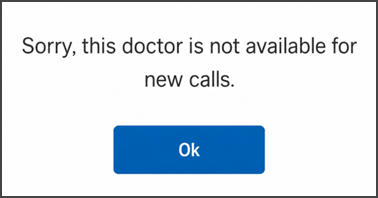
This screen includes:
| # | Element | Description |
|---|---|---|
| 1 | Availability message | Displays the current availability message for the selected doctor or request. |
| 2 | OK action | Dismisses the popup and returns the user to the previous screen. |
Workflow
- Continue an appointment request.
- Check the current request and doctor availability.
- Display the popup when the request cannot continue.
- Select Ok.
- Return to the previous screen or preserve the current request state.
Validations
| Scenario | App Behavior | SDK Output |
|---|---|---|
| Request changed | Display updated request popup | state = changed |
| Doctor unavailable for new calls | Display availability message | doctorAvailability = unavailable |
| Doctor has no active working hours | Display working hours message | workingHours = unavailable |
| Request still valid | Continue request flow | state = valid |
| Request fails | Display error state | state = error |
Actions
| Scenario | App Behavior | SDK Output |
|---|---|---|
| Availability check required | Load updated request popup | PUT /api/v3/wizard/screens/updated-request |
| Popup displayed | Show current availability message | popup = updated_request |
| Ok selected | Dismiss popup | state = dismissed |
| Request state changed | Preserve or refresh current request state | state = updated |
Endpoint Resources
Updated Request
PUT
v3/appointments/book/error/profile-unavailable
Returns a popup that prompts the patient to start a new search when the selected profile is unavailable.