Manage Data
Use the Manage My Private Data screen to download personal data or permanently delete an account.
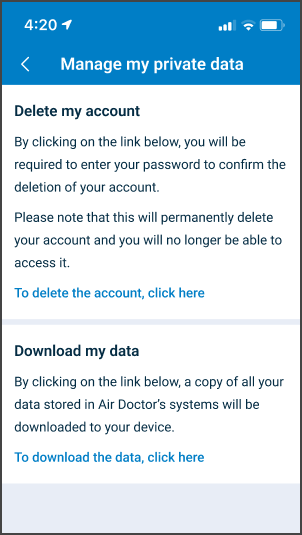
This screen includes:
- Delete account section
- Download data section
- Conditional Elements
- Password confirmation dialog (account deletion)
- Export confirmation dialog (data download)
Workflow
This flow starts when the Manage My Private Data screen is open.
- Select a data management action.
- Confirm the action.
- Execute the request.
- Account deletion removes access.
- Data export initiates download process.
Validation
These rules enforce security and confirmation requirements.
| Scenario | App Behavior | SDK Output |
|---|---|---|
| Delete account selected. | Require password confirmation. | Await password verification. |
| Password invalid. | Block deletion and display error. | INVALID_CREDENTIALS. |
| Password valid. | Allow deletion confirmation. | Verification success. |
| Download data selected. | Require confirmation. | Pending export confirmation state. |
| Session invalid or expired. | Block action and require login. | state = unauthenticated. |
Actions
| Scenario | App Behavior | SDK Output |
|---|---|---|
| User confirms account deletion. | Submit deletion request and terminate session. | Emit deletion request, state = loggedOut. |
| User cancels deletion. | Close dialog and retain account. | No state change. |
| User confirms data export. | Submit export request. | Trigger export process. |
| Export request accepted. | Notify user of export availability. | Export job created. |
| Back navigation used. | Return to previous account screen. | No state change. |