Edit Account
Use the Edit Account screen to update profile information and access security, personal data, and account controls.
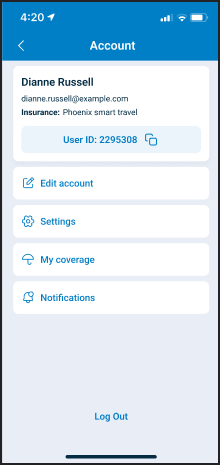
This screen requires an active session. Open it from the Account screen.
This screen includes:
| # | Element | Description |
|---|---|---|
| 1 | Screen header | Displays Manage account and the back action |
| 2 | Email field | Displays the account email address |
| 3 | Name fields | Update the first and last name |
| 4 | Phone fields | Update the country code and phone number |
| 5 | Change password option | Opens the password update flow |
| 6 | Two-step verification option | Opens the account security flow |
| 7 | Download personal data option | Opens the personal data download flow |
| 8 | Delete account option | Opens the account deletion flow |
| 9 | Save changes action | Submits profile updates |
Workflow
- Open the Account screen.
- Select Edit account.
- Update the first name, last name, or phone number.
- Select Save changes.
- Review the updated account details.
Use the options under Privacy & Data to open password, security, personal data, or account deletion flows.
Validations
| Scenario | App behavior | SDK output |
|---|---|---|
| Session is missing or expired | Block access and require sign-in | state = unauthenticated |
| Required field is empty | Disable Save changes | validation = required |
| Phone number format is invalid | Display a phone field error and disable Save changes | error = invalid_phone |
| Profile contains no changes | Keep Save changes disabled | state = unchanged |
| Update request is active | Display a loading state | state = loading |
Request returns 405 | Display a restriction message | Error response |
Actions
| Scenario | App behavior | SDK output |
|---|---|---|
| Profile field updated | Update the form state | profile = updated |
| Country code selected | Update the phone country code | countryCode = updated |
| Save changes selected | Submit the profile changes | POST request |
| Profile update succeeds | Display the saved account details | profile = saved |
| Change password selected | Open the password update flow | Navigation event |
| Two-step verification selected | Open the security flow | Navigation event |
| Download personal data selected | Open the personal data download flow | Navigation event |
| Delete account selected | Open the account deletion flow | Navigation event |
| Back selected | Return to the Account screen | Navigation event |
Endpoint Resources
Edit Account
PUT
v3/account
Returns editable profile fields and account controls for the authenticated user.
UI Element Types
| Level | Reference | Type | Value | Placement |
|---|---|---|---|---|
| 1 | email | Email address | — | |
| 1 | first-name | Edit | First name | — |
| 1 | last-name | Edit | Last name | — |
| 1 | phone | Phone | Phone number | — |
| 1 | edit-password | Link | Change password | — |
| 1 | security | Link | Two-step verification | — |
| 1 | download-data | Link | Download personal data | — |
| 1 | delete-account | Link | Delete account | — |
| 1 | spacer | Spacer | — | — |
| 1 | update | Button | Save changes | — |
Update Account Details
POST
v3/account/edit/update/account/edit
Updates the authenticated user’s first name, last name, and phone number.
Parameters
| Name | Type | Required | Description |
|---|---|---|---|
first-name | String | Yes | Specifies the user’s first name |
last-name | String | Yes | Specifies the user’s last name |
phone | String | Yes | Specifies the user’s phone number |
Errors
| Code | Description |
|---|---|
FIELDS_VALIDATION_ERROR | One or more required fields contain invalid values |