Disable MFA
Use the Disable Multi-Factor Authentication screen to remove the authenticator app requirement from an user's account.
After unlinking the authenticator, the account no longer requires a verification code during login.
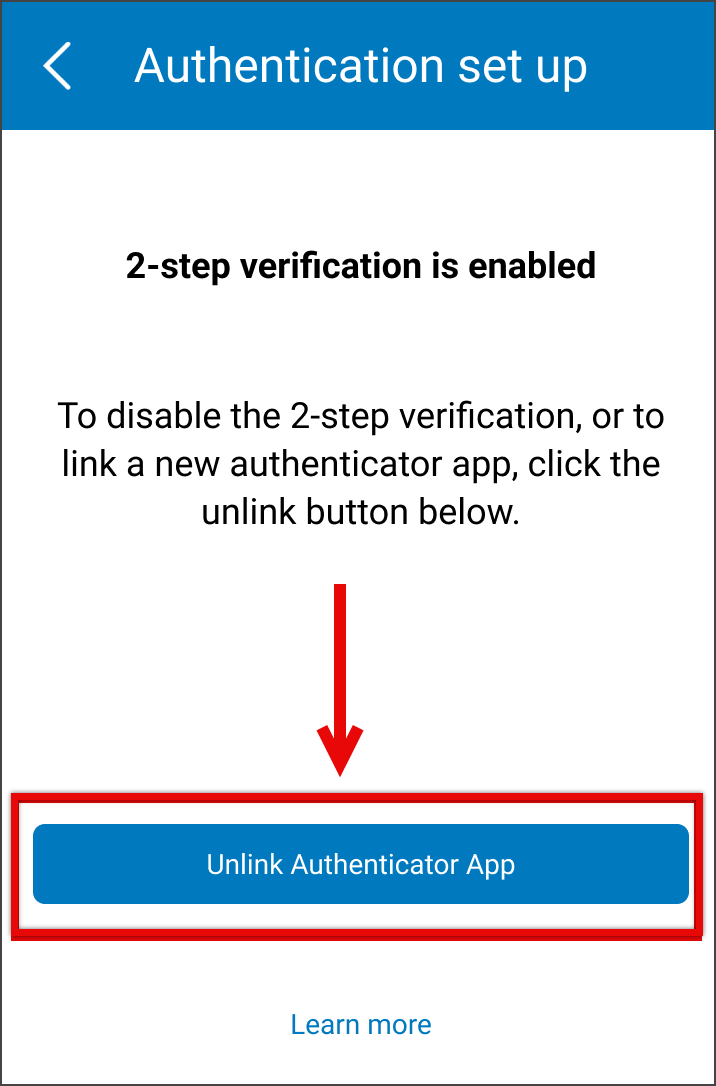
This screen includes:
| # | Element | Description |
|---|---|---|
| 1 | Modal title | Displays Authentication setup |
| 2 | Close action | Dismisses the modal |
| 3 | Active MFA message | Confirms that 2-step verification is active |
| 4 | Instruction text | Explains that unlinking the current app turns off 2-step verification or allows a new authentication app to be linked |
| 5 | Learn more link | Opens additional information about 2-step verification |
| 6 | Unlink authentication app action | Starts the authenticator unlink flow |
Workflow
- Open Account.
- Select Edit account.
- Select Security–2 step verification.
- Select Unlink authentication app.
- Review the unlink confirmation dialog.
- Select Unlink authentication app to disable MFA, or select Cancel to keep MFA active.
Validations
| Scenario | App Behavior | SDK Output |
|---|---|---|
| Session missing or expired | Require sign in | state = unauthenticated |
| MFA is not active | Block unlink flow | mfa = disabled |
| Request in progress | Show loading state | state = loading |
| Request blocked | Display restriction message | HTTP 405 |
Actions
| Scenario | App Behavior | SDK Output |
|---|---|---|
| Screen opened | Load active MFA state | PUT /api/v3/account/mfa/disable |
| Learn more selected | Open MFA help content | Navigation event |
| Unlink authentication app selected | Open unlink confirmation dialog | mfa = unlink_pending |
| Unlink confirmed | Disable MFA | MFA disable request triggered |
| MFA disables successfully | Display disabled confirmation state | mfa = disabled |
| Cancel selected | Close dialog and keep MFA active | No state change |
| Close selected | Dismiss modal | No state change |
Endpoint Resources
Authentication Disabled
PUT
v3/account/mfa/disable
Displays the multi-factor authentication disabled screen.
Verification Disabled
PUT
v3/account/mfa/disable/successful
Returns the confirmation popup after MFA disables successfully.

Unlink Authentication Code
POST
v3/account/mfa/disable
Disables and unlinks multi-factor authentication for the current doctor.