Claims
The Claims flow enables users to submit, manage, and track reimbursement requests for medical expenses.
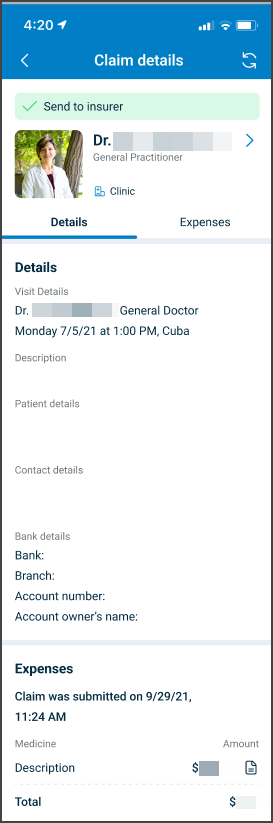
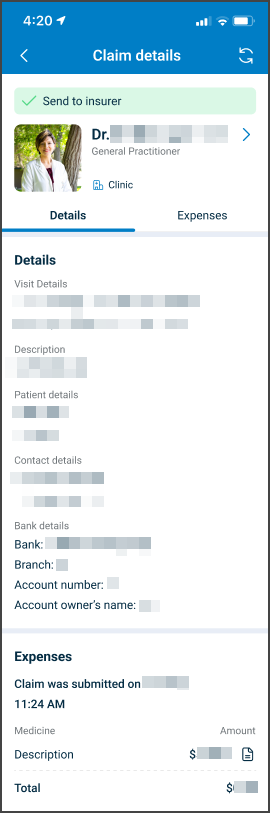
This screen includes
- Visit details associated with the claim.
- Patient details.
- Contact details for follow-up.
- Bank details for reimbursement.
- An Expenses section with items and totals.
- A Submit Claim action.
- A claim status indicator after submission.
Workflow
This sequence describes how a patient creates, manages, and tracks a claim.
Create Claim
- Open Claims list.
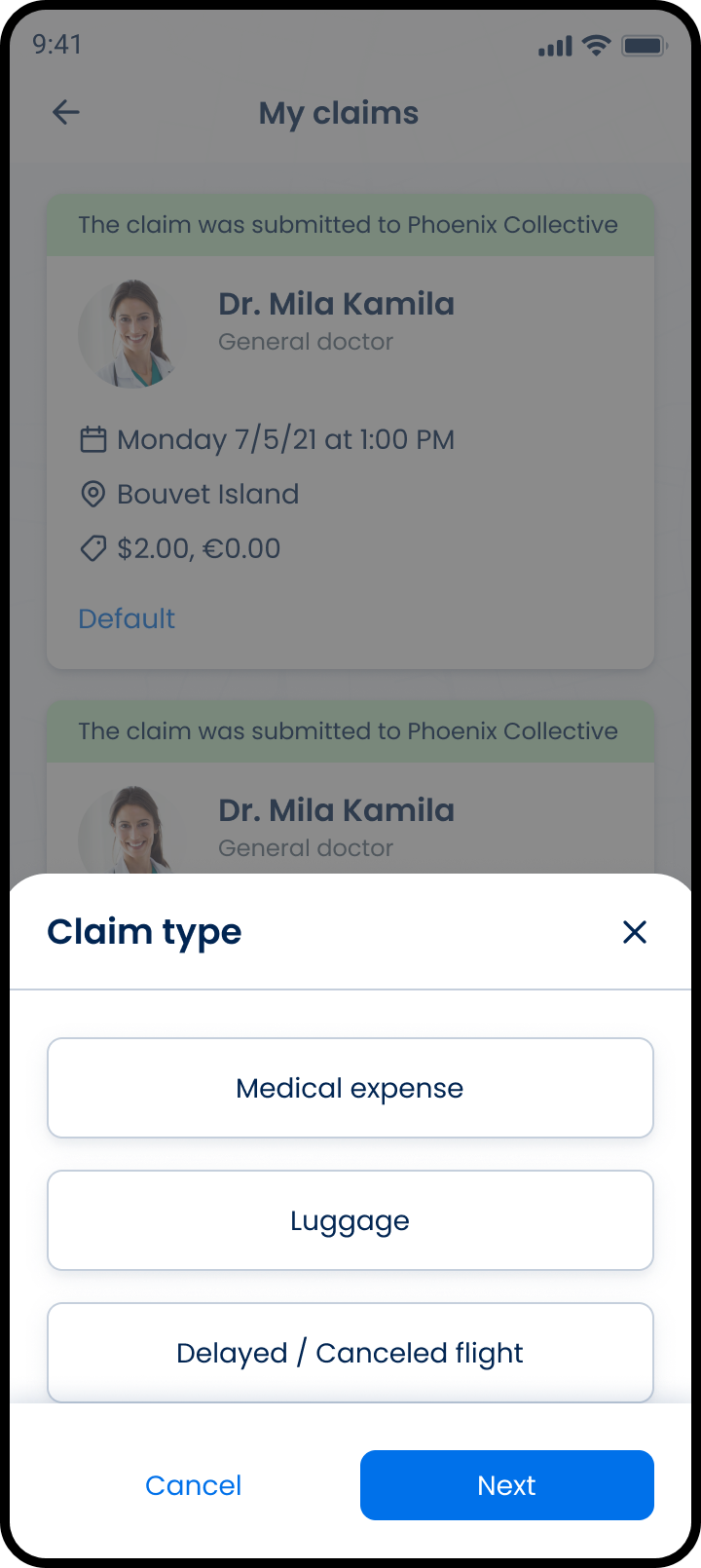
- Start new claim.
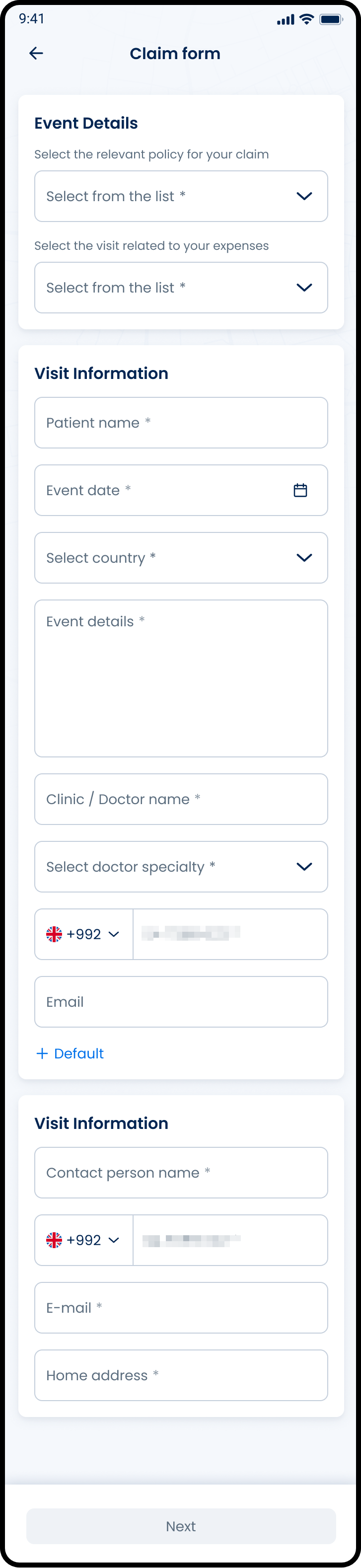
- Enter claim details.
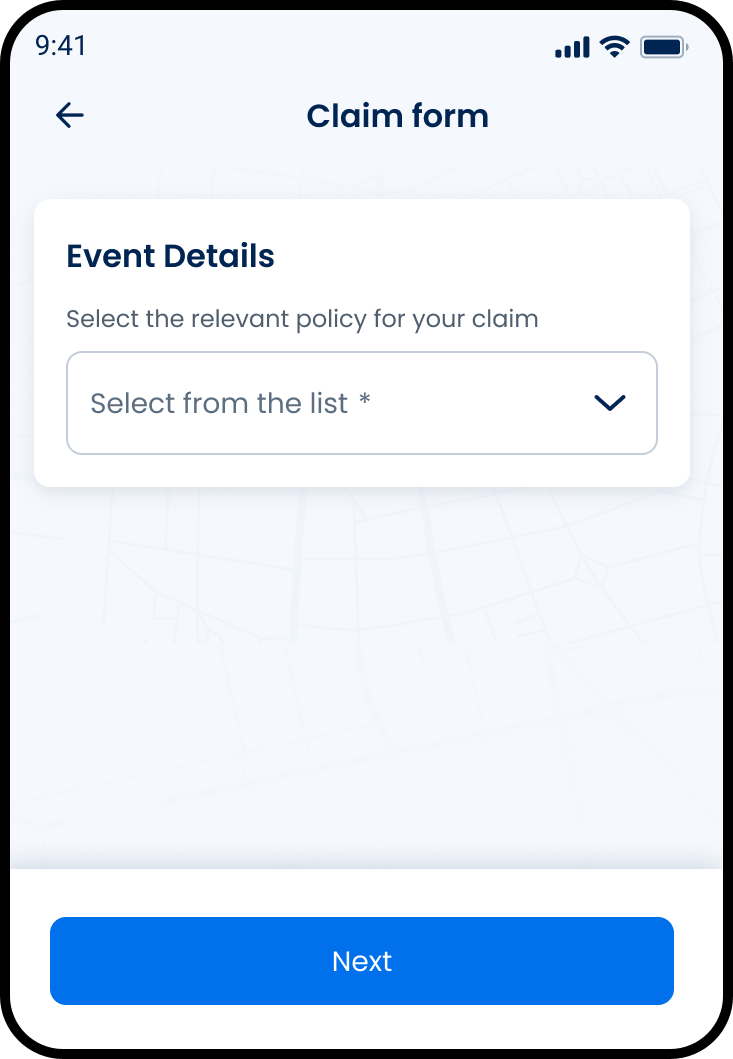
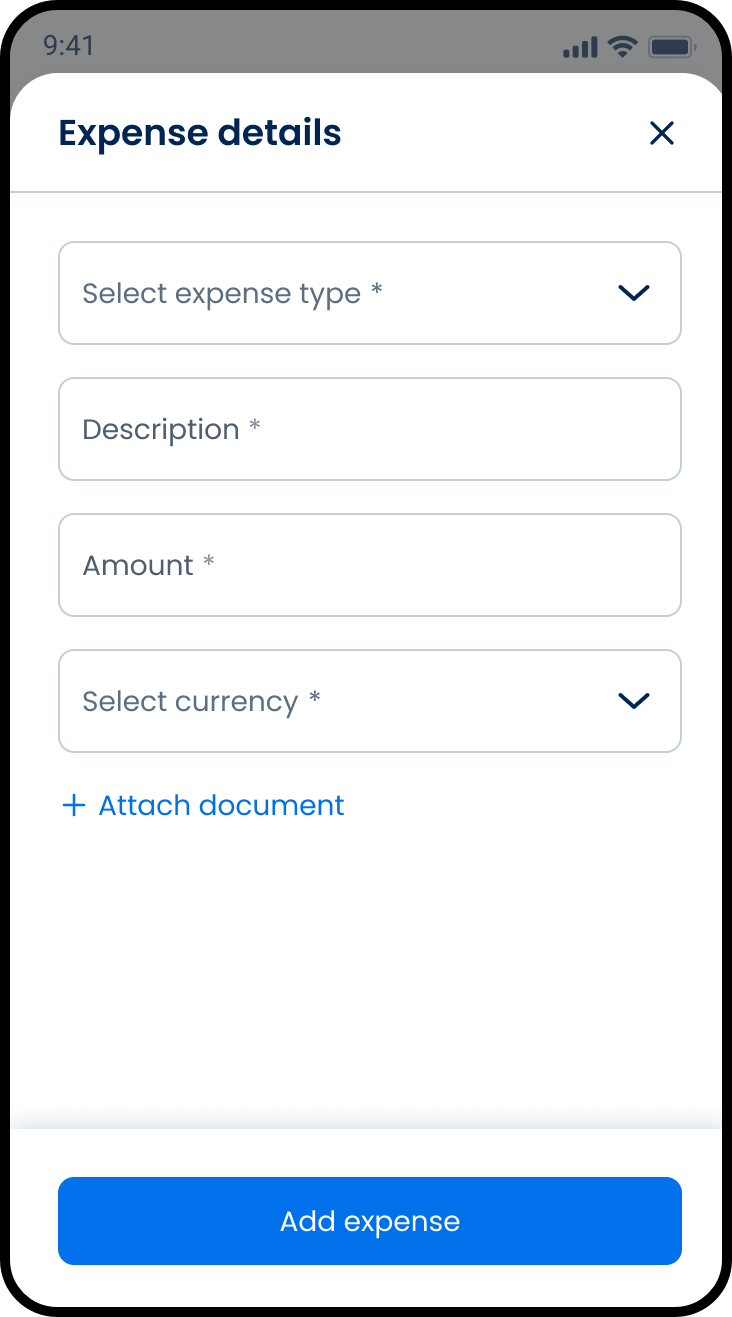
- Add expenses.
- Submit claim.
Manage Expenses
- Open existing claim.
- Add, update, or remove expenses.
- Save changes.
Track Claim
- Open claim details.
- Review status and summary.
If the claim receives approval, Air Doctor issues the reimbursement to the payment method on file for the appointment.
To request claim updates or status clarification, Air Doctor Customer Support.
Validations
These rules enforce data completeness and claim integrity.
| Scenario | App Behavior | SDK Output |
|---|---|---|
| Required claim data missing. | Block submission. | Validation error returned. |
| Expense fields incomplete. | Disable save/update action. | Field validation state. |
| Claim submitted. | Lock all fields. | state = submitted. |
| Claim in clarification state. | Enable updates. | state = clarification. |
| Claim approved with adjustment. | Display approved amount. | approvedAmount returned. |
| Expense removed. | Recalculate total. | Updated claim total. |
Actions
| Scenario | App Behavior | SDK Output |
|---|---|---|
| New claim initiated. | Open claim form. | Claim draft created. |
| Expense added. | Update claim total. | Expense appended to claim. |
| Expense updated. | Save changes. | Claim data updated. |
| Expense removed. | Recalculate total. | Updated claim total. |
| Claim submitted. | Lock claim and confirm submission. | state = submitted. |
| Claim updated in clarification state. | Save updates. | Claim state updated. |
Endpoint Resources
Submit Claim Form
PUT
v3/claims/submit
Show the submit claim screen.
Show Submit Error
PUT
v3/claims/submit/error
Show submit claim error screen.
Expense Form
PUT
v3/claims/submit/expenses
Show expense form.
Show Notes
PUT
v3/claims/submit/notes
Show notes screen.
Present Claims Type
PUT
v3/claims/submit/type
Show claim type popup to start a claim.
Move to Previous Step
PATCH
v3/claims/submit/back
Move to the previous submit claim step.
Patch Bank Fields
PATCH
v3/claims/submit/bank
Patch bank fields by selected bank.
Add Expense
PATCH
v3/claims/submit/expenses
Add expense to claim.
Update Expense
PATCH
v3/claims/submit/expenses/{expense-id}
Update existing expense.
Delete Expense
PATCH
v3/claims/submit/expenses/{expense-id}/delete
Delete expense from claim.
Patch Expense Details
PATCH
v3/claims/submit/expenses/details
Patch expense form fields by expense type.
Move to Next Step
PATCH
v3/claims/submit/next
Move to the next submit claim step.
Change Policy
PATCH
v3/claims/submit/update-policy
Change selected policy.
Change Visit
PATCH
v3/claims/submit/update-visit
Change selected visit.
Submit Claim
POST
v3/claims/submit
Submit insurance claim; expect a 204 response with no response body.