Download Personal Data
The Download Data screen allows the user to request an export of personal account data.
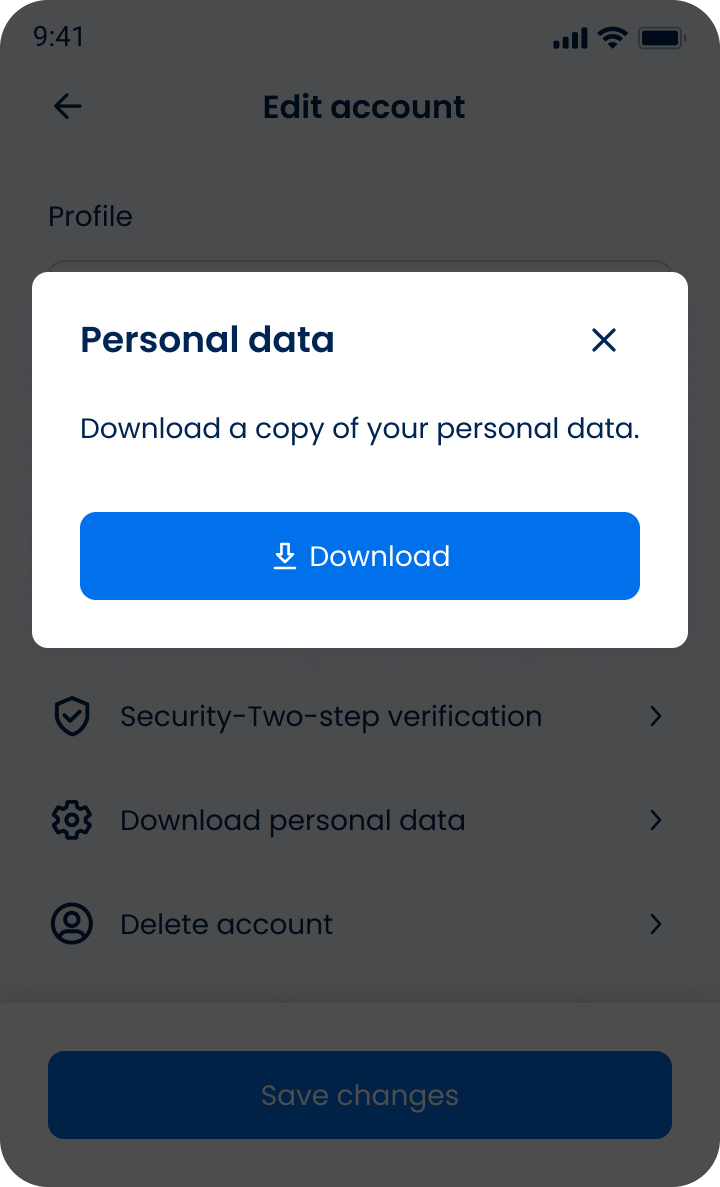
This screen includes:
| # | Element | Description |
|---|---|---|
| 1 | Modal title | Displays Personal data |
| 2 | Close action | Dismisses the modal |
| 3 | Message | Explains that the user can download a copy of personal data |
| 4 | Download action | Starts the personal data export |
Workflow
This flow starts when the Download Data screen is open.
- Select Download my data.
- Confirm the export request.
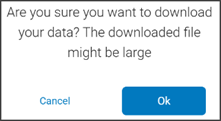
- Generate export.
Data Output
The export contains account-related data grouped by category.
- Data includes only content associated with the current account.
- Exported files vary based on account role and available data.
Example Data Categories
- Appointments
- Claims
- Events
- Extra charges
- Patients
- Policies
- Subscriber data
Validations
These rules enforce confirmation and export constraints.
| Scenario | App Behavior | SDK Output |
|---|---|---|
| Download action selected. | Display confirmation dialog. | Pending export confirmation state. |
| User cancels export. | Close dialog without processing. | No state change. |
| User confirms export. | Start export process. | Export request initiated. |
| Session invalid. | Block export and require login. | state = unauthenticated. |
| Export fails. | Display error state. | Export error response. |
Actions
| Scenario | App Behavior | SDK Output |
|---|---|---|
| User selects Download data. | Open confirmation dialog. | Pending confirmation state. |
| User confirms export. | Generate export archive. | Export job created. |
| Export completes. | Provide downloadable file. | Export result available. |
| User cancels export. | Close dialog. | No state change. |
| Back navigation used. | Return to previous screen. | No state change. |
Endpoint Resources
Download Personal Data
GET
v3/account/download/user-data.zip
Downloads personal data packed in archive.
Download Data
PUT
v3/account/download
Displays download personal data popup.