Existing Patient
Use the Existing Patient screen to review and update missing patient details for a saved patient profile.
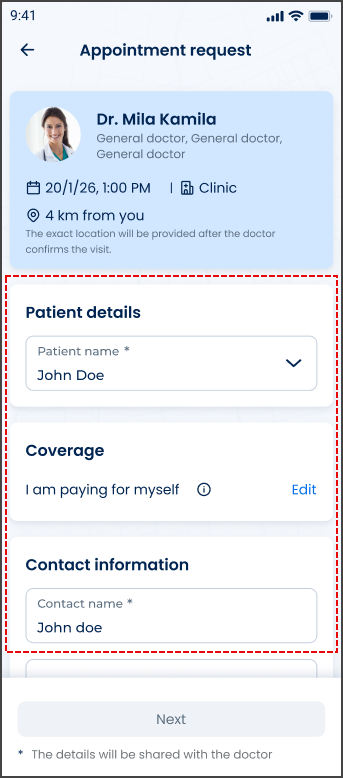
This screen includes:
| # | Element | Description |
|---|---|---|
| 1 | Header | Displays the patient update screen title and navigation control |
| 2 | Patient details form | Displays editable fields for the selected patient |
| 3 | Date of birth field | Required date field |
| 4 | Gender selector | Required selector with supported gender values |
| 5 | Personal ID field | Optional personal identification field |
| 6 | Primary action | Saves updated patient details |
| 7 | Close action | Exits without applying changes |
Workflow
- Open the appointment request flow.
- Select a patient that requires additional details.
- Load the Existing Patient screen with
patient-details-id. - Review the patient details.
- Enter or correct the required fields.
- Submit the update.
- Return to the appointment request flow.
Validations
| Scenario | App Behavior | SDK Output |
|---|---|---|
patient-details-id missing | Block screen load | error = missing_patient_details_id |
| Date of birth missing | Disable submit action or show field error | validation = required |
| Date of birth invalid | Display date field error | error = invalid_date_of_birth |
| Gender missing | Disable submit action or show field error | validation = required |
| Unsupported gender value | Display field error | error = invalid_gender |
| Request in progress | Show loading state | state = loading |
| Request blocked | Display restriction message | HTTP 405 |
Actions
| Scenario | App Behavior | SDK Output |
|---|---|---|
| Screen opened | Load existing patient update form | PUT /api/v3/patients/update?patient-details-id=<id> |
| Date of birth updated | Update local form state | dateOfBirth = updated |
| Gender selected | Update local form state | gender = updated |
| Personal ID updated | Update local form state | personalId = updated |
| Update selected | Submit patient update request | Update request triggered |
| Update succeeds | Apply patient details to the current flow | patient = updated |
| Close selected | Exit without changes | No state change |
Endpoint Resources
Existing Patient
PUT
v3/patients/update
Shows the existing patient update form for the selected patient record.
Update Patient
POST
v3/patients/update
Updates patient records with the provided personal and demographic details.