Update Payment Error
Use the Update Payment Error card to notify the user when the selected payment method cannot process a payment.
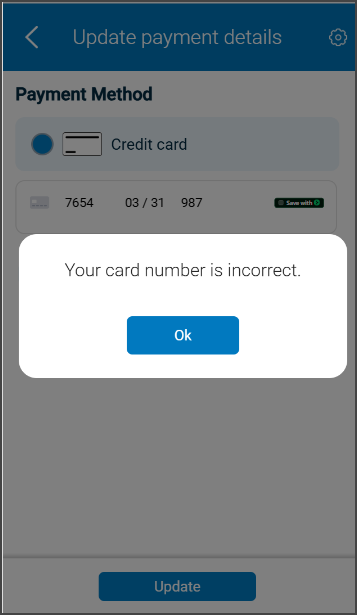
This screen includes:
| # | Element | Description |
|---|---|---|
| 1 | Error banner | Displays Please update payment details |
| 2 | Payment icon | Identifies a payment method issue |
| 3 | Error message | States that the payment method cannot process the payment |
| 4 | Update action | Opens the payment details flow |
Workflow
- Detect a payment method error.
- Call
PUT /api/v3/payment-method/error. - Display the payment error card.
- Select Update your payment details.
- Open the payment details flow.
Validations
| Scenario | App behavior | SDK output |
|---|---|---|
| Payment error data is available | Display the error card | state = ready |
| Payment error data is invalid | Block the card | error = invalid_payment_error |
| Request fails | Display an error state | state = error |
| Session is invalid | Block access | state = unauthenticated |
Actions
| Scenario | App behavior | SDK output |
|---|---|---|
| Error request succeeds | Display the payment error card | Page object |
| Update action selected | Open the payment details flow | Navigation event |
Endpoint Resources
Payment Error
PUT
v3/payment-method/error
Returns the payment error card when the selected payment method cannot process the payment.