Unexpected Error
Use Unexpected Error when an unexpected application error prevents normal app access.
The screen allows the user to retry the failed operation or contact support. It also displays the user ID for support reference.
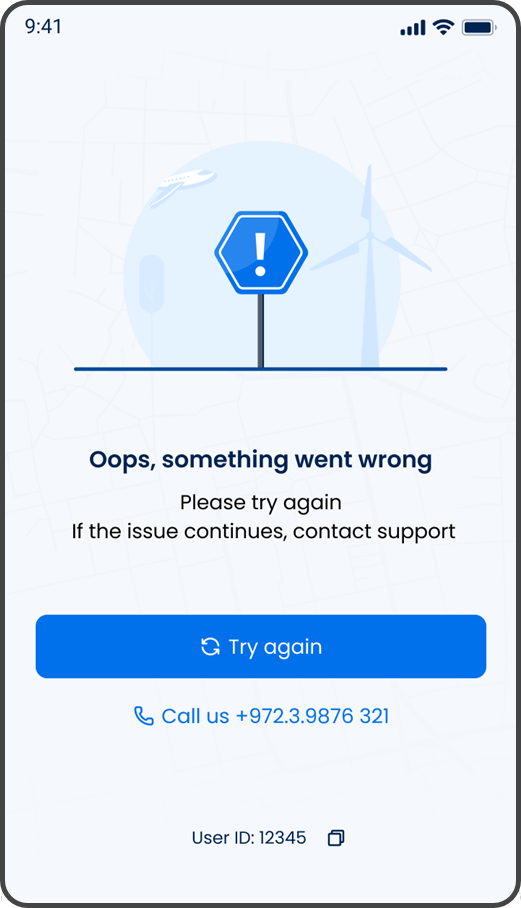
This screen includes:
| # | Element | Description |
|---|---|---|
| 1 | Error illustration | Indicates that an unexpected error prevents normal app use |
| 2 | Error message | States that something went wrong |
| 3 | Retry guidance | Advises the user to try again or contact support |
| 4 | Try again action | Retries the failed operation |
| 5 | Call us action | Opens the device call action for the displayed support number |
| 6 | User ID | Displays the user identifier for support reference |
| 7 | Copy action | Copies the user ID |
Workflow
- Detect an unexpected application error.
- Display the Unexpected Error screen.
- Select Try again to retry the failed operation.
- If the error remains, select Call us to contact support.
- Provide the displayed user ID when support requires account identification.
- Select the copy action to copy the user ID.
Validations
| Scenario | App behavior | SDK output |
|---|---|---|
| Unexpected application error occurs | Display the Unexpected Error screen | Error screen |
| Retry action is available | Display Try again | Retry action available |
| Support phone number is available | Display Call us | Device call action available |
| User ID is available | Display the user ID and copy action | User identifier |
Actions
| Scenario | App behavior | SDK output |
|---|---|---|
| Try again selected | Retry the failed operation | Retry action |
| Retry succeeds | Resume normal app access | App state update |
| Retry fails | Keep the Unexpected Error screen visible | Error state |
| Call us selected | Open the device call action with the displayed support number | External call action |
| Copy selected | Copy the displayed user ID | Clipboard action |