Post Wizard
Use the Post Wizard screen to confirm that a booking request was submitted successfully.
This screen sets clear expectations about next steps and requires an explicit user action to continue.
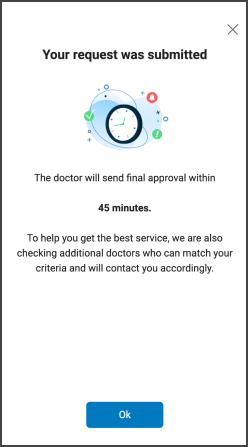
This screen includes:
- A centered confirmation title that confirms successful request submission.
- A status illustration that indicates a pending approval state.
- A primary message that states the expected approval timeframe.
- A highlighted time value that displays the estimated duration (for example, 45 minutes).
- A secondary message that explains parallel doctor matching.
- One primary action button (OK) that dismisses the screen.
- A close (X) option that allows dismissal without selecting the primary button.
Workflow
This sequence describes how the user encounters the Post Wizard screen.
- Submit an Appointment Request.
- To approve the request, click Confirm Request.
Variants
The Post Wizard content varies by booking intent and availability state.
The layout and interaction rules remain consistent.
| Category | Request Type | Screenshot | Displayed Title | Displayed Message |
|---|---|---|---|---|
| Selected doctor | Face-to-face |  | Your request was submitted | The doctor sends final approval within 0. The app also checks additional doctors who match the criteria and contacts the user accordingly. |
| Selected doctor | Video | 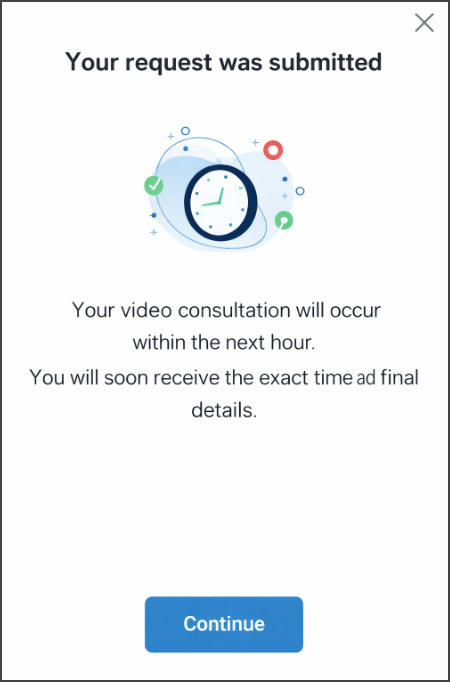 | Your request was submitted | The video consultation occurs within the next hour. You will soon receive the exact time and final details. |
| Availability exception | Clinic closed | 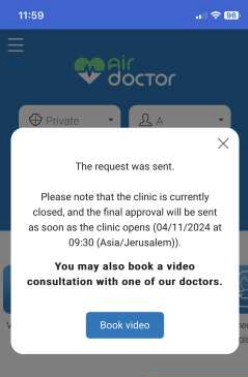 | The request was sent | The clinic is currently closed. The app sends an update when the clinic opens. |
Validations
These scenarios describe how the app validates and displays the Post Wizard screen.
| Scenario | App Behavior |
|---|---|
| A request submission succeeds. | The app displays the Post Wizard screen. |
| The selected clinic is closed. | The app displays the Auto Extend variant. |
| A direct clinic request occurs. | The app does not display the Post Wizard screen. |
| Required response data is missing. | The app displays a fallback confirmation state. |
Actions
These scenarios describe how the user interacts with the Post Wizard screen.
| Scenario | App Behavior |
|---|---|
| The user selects the primary button. | The app closes the screen and continues the flow. |
| The user selects the close icon. | The app dismisses the screen. |
| The user exits via navigation or back action. | The app closes the screen without side effects. |
Endpoint Resources
Post Wizard Popup
PUT
/wizard/post-wizard
Displays the post wizard popup screen for a specific appointment. Requires an appointment-id query parameter to identify the appointment.