Distance and Units
Use Distance Units to select the unit used for displayed distances.
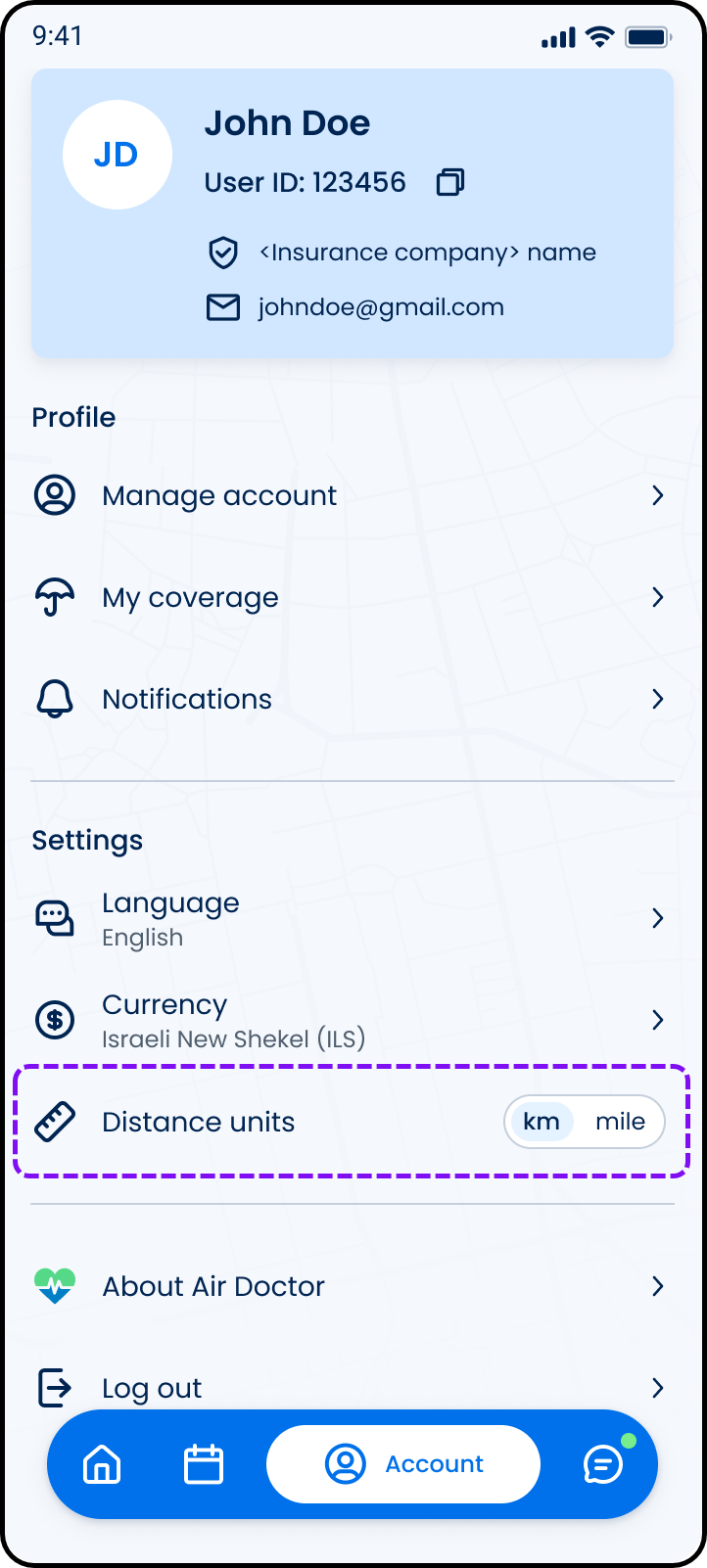
This screen includes:
| # | Element | Description |
|---|---|---|
| 1 | Distance units setting | Displays the active distance unit |
| 2 | Kilometer option | Displays distances in kilometers |
| 3 | Mile option | Displays distances in miles |
| 4 | Selected state | Indicates the active unit |
Workflow
- Open Account.
- Locate Distance units.
- Toggle between km and mile.
- Apply the selected unit.
- Refresh displayed distances.
Validations
| Scenario | App Behavior | SDK Output |
|---|---|---|
| Session invalid | Block update | state = unauthenticated |
| Unit unsupported | Reject selection | error = invalid_distance_unit |
| Unit unchanged | Preserve current value | state = unchanged |
| Update succeeds | Refresh displayed distances | distanceUnit = updated |
| Update fails | Display error state | state = error |
Actions
| Scenario | App Behavior | SDK Output |
|---|---|---|
| Distance unit toggled to kilometers | Update pending unit | distanceUnit = km |
| Distance unit toggled to miles | Update pending unit | distanceUnit = mile |
| Unit changed | Submit updated preference | POST /api/v3/account/update/distance-unit |
| Update succeeds | Refresh distance displays | state = updated |
| Update rejected | Preserve previous value | state = unchanged |
Endpoint Resources
Update Distance Unit
POST
v3/account/update/distance-unit
Changes the selected distance unit for the authenticated user.