Currency
Use Currency to update the currency used for displayed prices.
Supported currencies and selection state derive from the change-currency response.
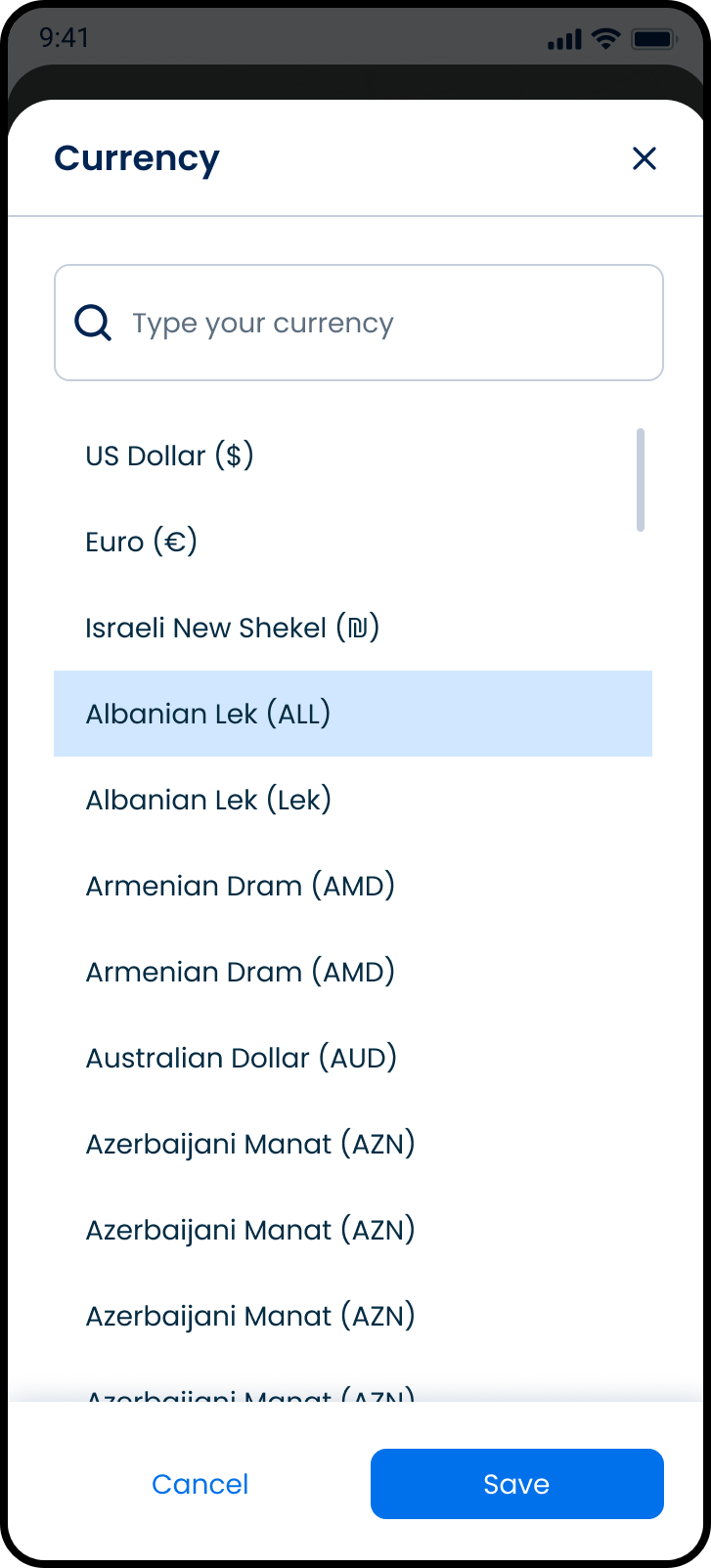
This screen includes:
| # | Element | Description |
|---|---|---|
| 1 | Search field | Filters supported currencies |
| 2 | Currency list | Displays available currencies |
| 3 | Currency row | Displays currency name and code |
| 4 | Selected state | Marks the active currency |
| 5 | Save action | Applies the selected currency |
| 6 | Cancel action | Closes the modal without changes |
| 7 | Close action | Dismisses the modal |
Workflow
- Open Account.
- Open Currency.
- Render available currencies.
- Filter currencies by search value.
- Select a currency.
- Save the selection.
- Refresh displayed prices.
Validations
| Scenario | App Behavior | SDK Output |
|---|---|---|
| Currency list empty | Display empty state | currencies = empty |
| Search returns no results | Display empty state | results = empty |
| Session invalid | Block access | state = unauthenticated |
| Currency unsupported | Block selection | error = unsupported_currency |
| Currency unchanged | Disable Save action | state = unchanged |
| Request rejected | Display error state | status = 405 |
Actions
| Scenario | App Behavior | SDK Output |
|---|---|---|
| Currency screen opened | Load currencies | PUT /api/v3/account/change-currency |
| Search updated | Filter currency list | PATCH /api/v3/account/change-currency/filter |
| Currency selected | Update pending selection | currency = selected |
| Save selected | Apply selected currency | POST /api/v3/account/change-currency |
| Cancel selected | Dismiss without changes | state = unchanged |
| Screen closed | Preserve active currency | state = unchanged |
Endpoint Resources
Currency
PUT
v3/account/change-currency
Displays the currency screen for changing displayed prices' currency.
Filter Currency
PATCH
v3/account/change-currency/filter
Filters the currency list by currency name.
Change Currency
POST
v3/account/change-currency
Updates the currency used for displayed prices.