Alternative Offer
Use the Alternative Offer screen to propose up to three appointment options for a single appointment request.
The Doctor App opens this screen from Review & Approve and returns to Appointment Details after you submit or cancel.
The screen uses Suggested Scheduling cards to manage alternatives and prevent duplicate options.
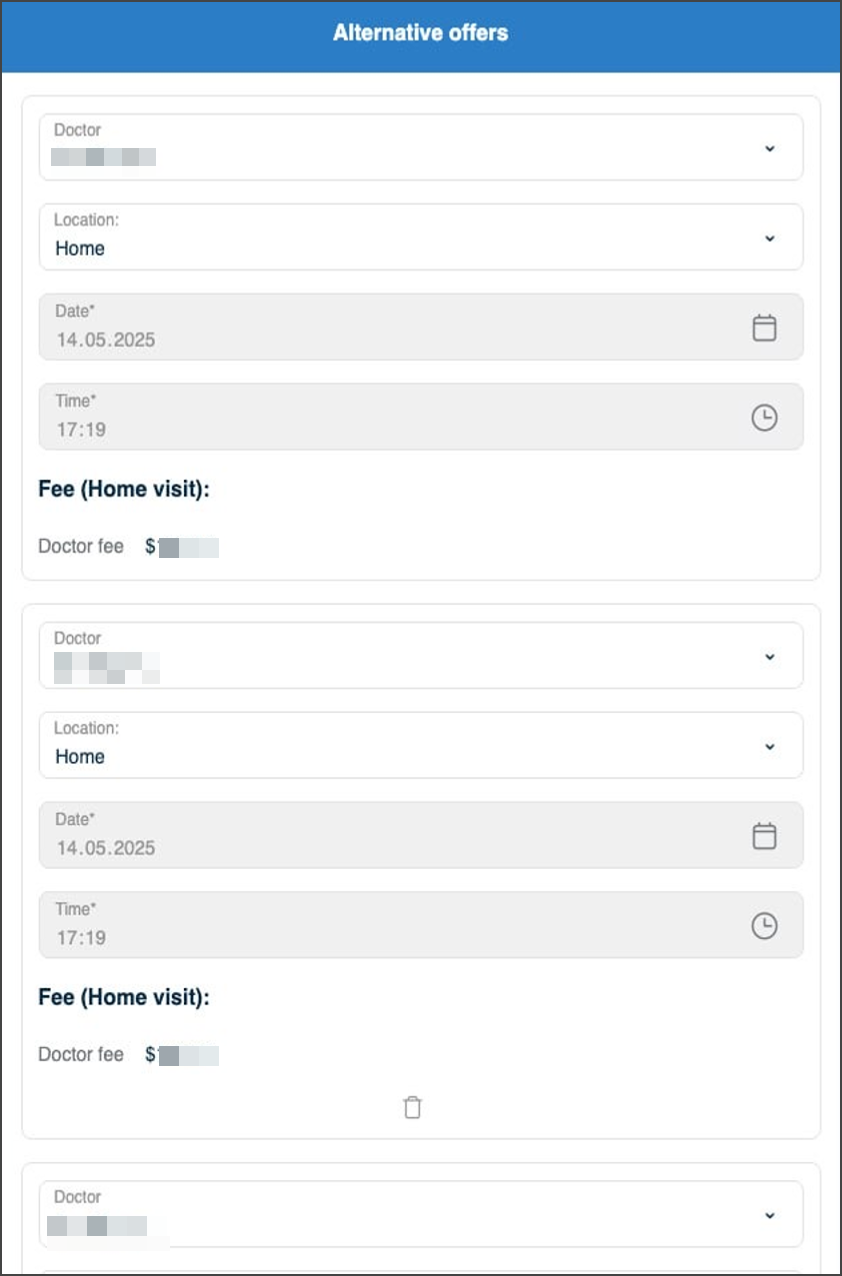
This screen includes:
- A Suggested Scheduling card set with a maximum of three alternatives.
- Preselected doctor and location values in each alternative where the request includes defaults.
- Visual change indicators for edited fields.
- Duplicate prevention across doctor, location, date, and time.
- Fee values that reflect total and doctor fee calculations.
- A delete control on alternatives 2 and 3.
- An Approve button that stays disabled until required values are valid.
- Automatic approval when a suggestion matches the original request.
- A delete constraint that preserves one remaining alternative.
Workflow
Submit Alternatives
- From the appointment list, select Approve/Edit.
- On the Review & Approve screen, select Suggest Another Alternative to add a card when needed.
- In each alternative card, set Location, Date, and Time.
- Confirm that Approve stays disabled until all required fields contain valid values.
- Select Approve.
- Confirm that the app returns to Appointment Details and displays the updated alternative count.
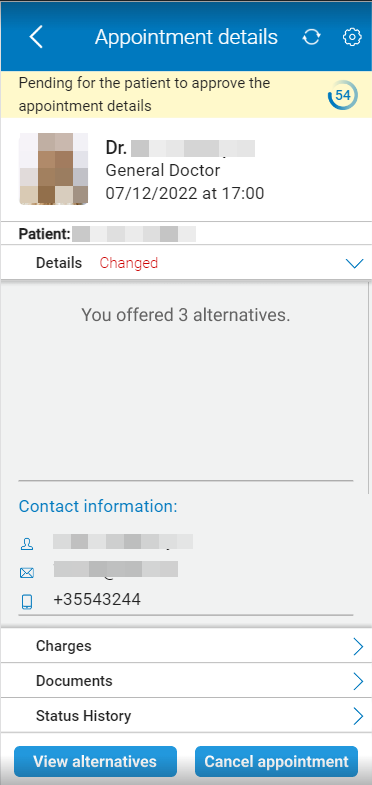
View Alternative Offers
To view alternative offers for a specific appointment, on the Alternative Offer screen, select View Alternatives.
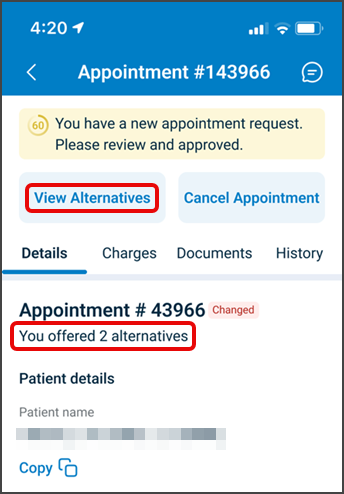
Cancel Alternative Offer
- On the Alternative Offer screen, select Cancel.
- Confirm that the app returns to Appointment Details without changes.
Validations
These scenarios describe how the app validates the Alternative Offer screen and what the integrator can expect.
| Scenario | App Behavior | SDK Output | Example |
|---|---|---|---|
| A required field (location, date, or time) is missing in any card. | The app keeps Approve disabled and highlights missing fields after interaction. | Validation error in the update set or action blocked client-side; no submission. | — |
| A date or time value uses an invalid format or a past value. | The app rejects the value and displays inline feedback. | Validation error that targets the date or time field. | — |
| A doctor creates a duplicate alternative (same doctor, location, date, and time). | The app blocks the duplicate and keeps existing alternatives. | Validation error that targets the suggested scheduling group. | — |
| The doctor reaches three alternatives. | The app hides Suggest Another Alternative and blocks additional cards. | Update set reflects the allowed set only. | — |
| Only one alternative remains. | The app hides the delete control on the remaining card. | No delete action available for the remaining card. | — |
| No values change compared to the original request. | The app approves the original request without submitting alternatives. | Server response reflects the scheduled state. | — |
Actions
These scenarios describe how the app responds to actions on the Alternative Offer screen and what the SDK returns.
| Scenario | App Behavior | SDK Output | Example |
|---|---|---|---|
| The doctor selects Approve with valid alternatives. | The app submits alternatives and returns to Appointment Details. | Server-side confirmation; subsequent page responses reflect submitted alternatives. | — |
| The doctor adds a new alternative card. | The app adds a new card and preselects doctor and location values when available. | Update set that adds an alternative panel. | 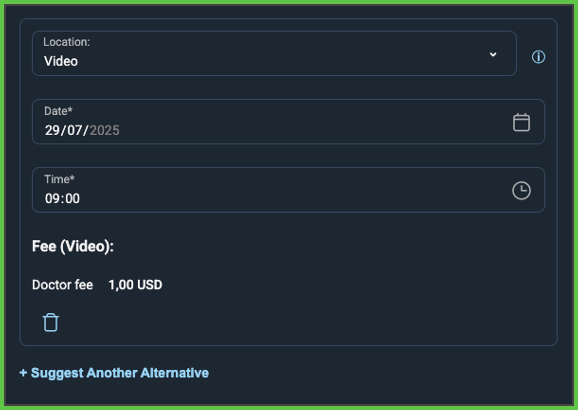 |
| The doctor edits a field in an alternative card. | The app updates the alternative state and refreshes fee calculations. | Update set that patches the alternative values and calculated fields. | 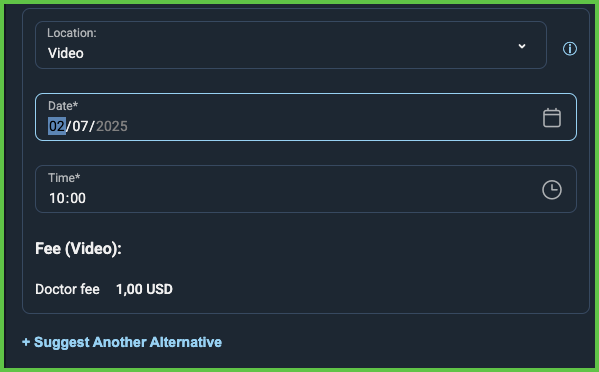 |
| The doctor deletes an alternative when more than one exists. | The app removes the selected card and refreshes totals. | Update set that removes the selected alternative. | 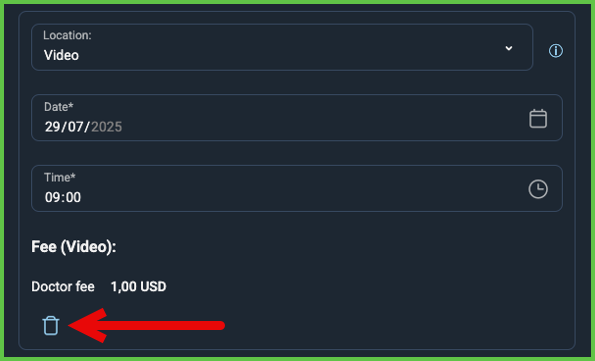 |
| The doctor selects Cancel. | The app returns to Appointment Details without submission. | No update set that changes alternatives. | — |
Endpoint Resources
Get Alternative Offers for a Specific Appointment
PUT
/appointments/{appointment-id}/alternatives
Produces the Alternative Offer screen for the specified appointment.
The response body includes the alternative cards and their current values.
UI Element Types
| Level | Reference | Type | Value | Placement |
|---|---|---|---|---|
| 1 | change-language | Toolbar | [Language] | |
| 1 | alternative | Card | See Suggested Scheduling |
Change Scheduling
PATCH
/appointments/{appointment-id}/scheduling/change
Returns an update set that updates a scheduling alternative when a field value changes.
View Alternatives
PUT
v3/appointments/{appointment-id}/alternatives
Returns previously proposed alternative offers for a specific appointment.
Delete Scheduling
PATCH
/profile/appointments/{appointment-id}/scheduling/delete
Returns an update set that removes the specified scheduling alternative.