Appointment Details
Use the Appointment Details screen for full session information review and control.
This screen presents appointment metadata, financial information, attached documents, and status history for an authenticated doctor.
The screen appears in the embedded panel of the Appointments workspace.
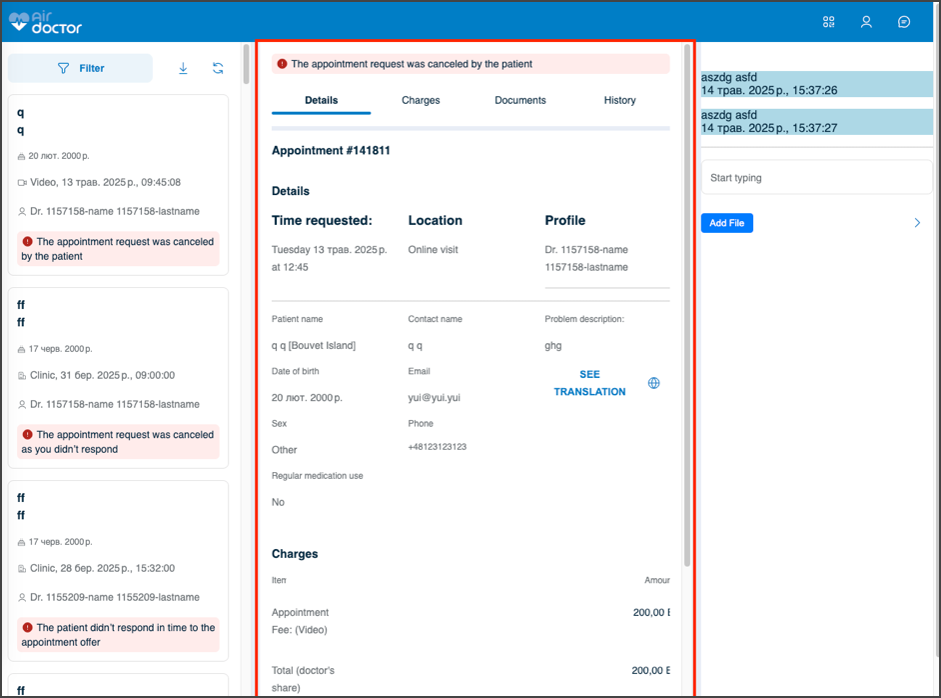
This screen includes:
- Appointment metadata: status, doctor, clinic, and patient details.
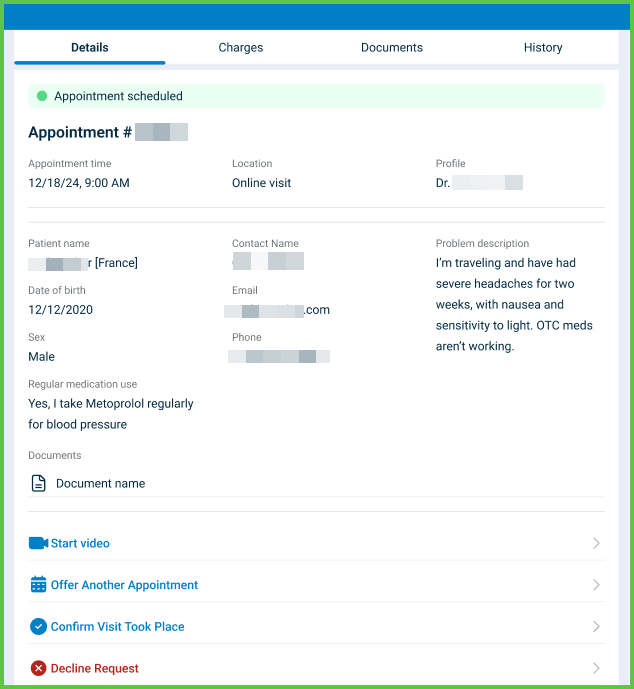
- A layout that adapts to mobile and desktop viewports.
- Status indicators:
- Green: Scheduled
- Yellow: Pending
- Red: Canceled
- Blue: Visit completed
- Tabs: Details, Charges, Documents, and History.
- Contextual actions:
- Start Video, Cancel, and Visit took place for eligible sessions
- Read-only view for completed or canceled sessions
- Optional embedded chat, when configuration allows it.
Workflow
-
From the Welcome Screen, select Manage appointments.
-
In the Appointment List, select an appointment card.
-
Review summary information: status, doctor, clinic, and patient.
-
Use the tabs to view specific data:
- Details: Patient and visit information
- Charges: Fee and discount breakdown
- Documents: Attached files, GOP documents, and previews
- History: Status transitions

Validations
These scenarios define how the app validates actions on the Appointment Details screen and what the integrator can expect.
| Scenario | App Behavior | SDK Output | Example |
|---|---|---|---|
| The appointment status is not Scheduled and the doctor selects Start Video. | The app blocks video start and displays an error or disabled state. | Validation error or no-op update. | |
| The appointment status is Completed or Canceled and the doctor attempts to edit fields. | The app presents a read-only view and blocks changes. | Page object with read-only controls. | — |
| Appointment data is incomplete or invalid. | The app displays an error section instead of the main content. | Schema validation error. | 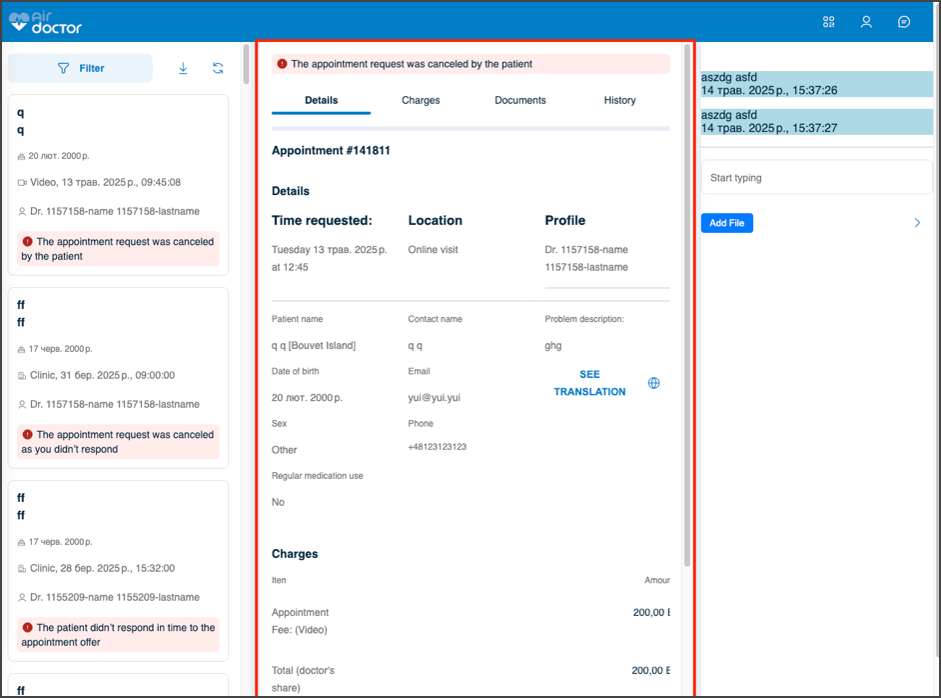 |
| Network access is not available when the doctor opens Documents. | The app displays an error state for document previews. | Network or transport-level error. | — |
| The doctor selects Visit took place without a valid appointment context. | The app blocks the update and displays an inline message. | Validation error for invalid state. | — |
| The system receives an unsupported file type in Documents. | The app omits the preview and displays a generic document entry. | Partial page object with no preview element. | — |
Actions
These scenarios describe how the app responds to doctor actions on the Appointment Details screen and what the SDK returns.
| Scenario | App Behavior | SDK Output | Example |
|---|---|---|---|
| The doctor selects Start Video for a scheduled appointment. | The app opens the video session entry point. | Navigation or integration event; a later response reflects any status change. | |
| The doctor selects Cancel. | The app prompts for confirmation and applies a canceled status after confirmation. | Update set that changes the appointment status and history entries. | — |
| The doctor selects Visit took place. | The app prompts for confirmation and applies a completed status after confirmation. | Update set that changes the appointment status and appends a history item. | — |
| The doctor selects a tab (Details, Charges, Documents, or History). | The app updates the visible section with tab-specific content. | Update set that targets the selected fragment. | |
| The doctor opens a document in the Documents tab. | The app presents a viewer or inline preview. | Update set that refines the viewer component. | — |
| Chat is available for the appointment. | The app displays an embedded chat panel. | Page object with an embedded chat element in the layout. | — |
Endpoint Resources
Appointment Details Screen
PUT
profile/appointments/{appointment-id}
Produces the Appointment Details page for the specified appointment.
| Variant | Behavior | Example |
|---|---|---|
| Mobile variant | Opens as a full-screen view. | 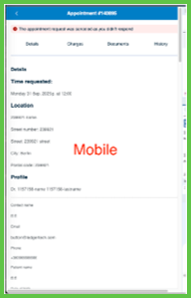 |
| Desktop variant | Loads in the right-hand embed panel (welcome-or-details) of the Appointments screen. | 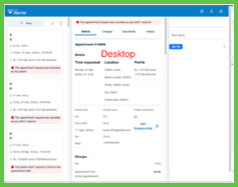 |
UI Elements
| Level | Reference | Type | Value | Placement |
|---|---|---|---|---|
| M-3 | — | Green | Appointment status (or Yellow, Red, Blue) | |
| M-3 | — | Title | Patient name | |
| D-1 | — | Splitter | — | |
| D-2 | — | Scroller | — | 70% |
| D-3 | — | Title | Patient name | |
| D-3 | — | Spacer | — | ~ |
| D-3 | — | Green | Appointment status (or Yellow, Red, Blue) | ~ |
| D-3 | — | Spacer | — | ~ |
| 3 | — | Secondary | Appointment action 1 | ~ on desktop |
| 3 | — | Secondary | Appointment action 2 (etc.) | ~ on desktop |
| 3 | — | Tabs | — | ~ |
| 3 | — | Bar | — | ~ |
| 3 | — | Fragment | Details | |
| 3 | — | Section | Details | |
| D-3 | — | Group | Not present on mobile | 33% |
| M-4 | — | Title | [Patient section] | |
| D-4 | — | Regular | Appointment reference, doctor name | ~ |
| D-4 | — | Regular | Appointment reference | |
| D-4 | — | Regular | Doctor name | |
| D-3 | — | Group | Not present on mobile | ~33% |
| 4 | — | Title | [Visit type] | |
| 4 | — | Regular | Visit type | ~ on mobile |
| 3 | — | Line | — | |
| D-3 | — | Group | Not present on mobile | 33% |
| 4 | — | Extra | Date of birth | |
| 4 | — | Regular | DD/MM/YYYY | |
| 4 | — | Extra | Sex | |
| 4 | — | Regular | Sex | |
| 4 | — | Extra | Regular medication use | |
| 4 | — | Regular | Medication use (up to 2 lines) | |
| D-3 | — | Group | Not present on mobile | ~33% |
| 4 | — | Extra | Contact name | |
| 4 | — | Regular | Contact name | |
| 4 | — | Extra | ||
| 4 | — | Regular | ||
| 4 | — | Extra | Phone | |
| 4 | — | Regular | Phone | |
| D-3 | — | Group | Not present on mobile | ~34% |
| 4 | — | Extra | Problem description | |
| 4 | — | Regular | Problem description (up to 5 lines) | |
| 3 | — | Line | (only if documents attached) | |
| 3 | — | Viewer | Document preview | |
| 3 | — | Regular | Document name | ~ |
| 3 | — | Bar | — | |
| 3 | — | Fragment | Charges | |
| 3 | — | Section | Charges | |
| 3 | — | Gray | Item | |
| 4 | — | Extra | Amount | ~ |
| 4 | — | Spacer | — | ~ |
| 4 | — | Extra | Amount | ~ |
| 4 | — | Regular | Appointment fee: | ~ |
| 4 | — | Spacer | — | ~ |
| 4 | — | Highlight | Fee | ~ |
| 4 | — | Dashes | — | ~ |
| 4 | — | Regular | Total: | |
| 4 | — | Spacer | — | ~ |
| 4 | — | Highlight | Amount | ~ |
| 3 | — | Viewer | GOP preview | |
| 3 | — | Regular | GOP name | ~ |
| 3 | — | Line | (only if disclaimers present) | |
| 3 | — | Extra | Notes (only if disclaimers present) | |
| 3 | — | Disclaimer | Disclaimer | |
| 3 | — | Bar | (only if documents attached) | |
| 3 | — | Fragment | Documents | |
| 3 | — | Section | Documents | |
| 3 | — | Extra | Document type | |
| 3 | — | Viewer | Document preview | |
| 3 | — | Regular | Document name | ~ |
| 3 | — | Line | (only if more documents of the same type present) | |
| 3 | — | Bar | — | |
| 3 | — | Fragment | Status history | |
| 3 | — | Section | Status history | |
| 3 | — | Regular | Status transition | |
| 3 | — | Extra | Transition timestamp | |
| D-2 | — | Embed | Appointment's chat | 30% |
Desktop Shell
| Level | Reference | Type | Value | Placement |
|---|---|---|---|---|
| 1 | cs-chat | Toolbar | CS chat | — |
| 1 | scan-to-pay | Toolbar | Scan to pay | — |
| 1 | account | Toolbar | Account | — |
| 1 | settings | Toolbar | Settings | — |
| 1 | splitter | Splitter | — | — |
| 2 | appointment-filter | Embed | Hosts Appointment List (default) or Filter | 30% |
| 2 | welcome-or-details | Embed | Hosts Welcome Screen (default) or Appointment Details | 70% |
Select Appointment
PATCH
profile/appointments/{appointment-id}/details
Returns an update set that replaces the right-hand area with Appointment Details for the selected appointment.

Update Appointment Details
PATCH
profile/appointments/{appointment-id}/update
Returns an update set that applies changes to the selected appointment revision.
