File Preview
Use the File Preview screen to review and attach a file before sending it in a chat thread.
The Doctor App opens this screen from the Chat interface and links the file to the active appointment context.
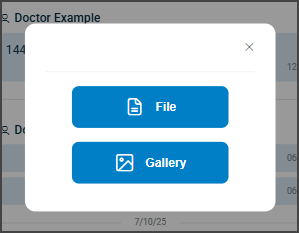
This screen includes:
- A header titled File Preview with navigation controls.
- A preview area that displays the selected file name.
- A Cancel button to discard the selection and close the dialog.
- Integration with the active chat thread for secure file delivery.
- Enforcement of chat and appointment context rules.
Workflow
- In the Chat panel, select the Attach icon.
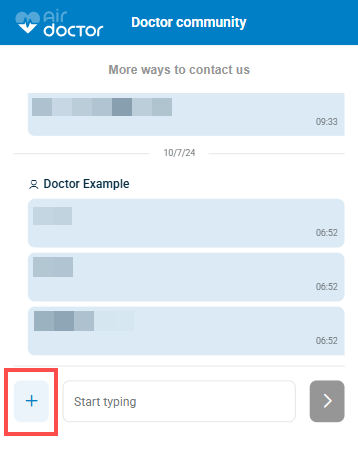
- Select a file from the device file picker.
- Review the file name in the preview area.
- Continue to send the message or select Cancel to discard the file.
Validations
These scenarios describe how the app validates file preview and attachment behavior.
| Scenario | App Behavior | SDK Output | Example |
|---|---|---|---|
| The chat context does not include a valid appointment. | The app blocks the preview dialog. | Authorization or context error. | — |
| The selected file exceeds size limits. | The app rejects the file and displays feedback. | Validation error for file size. | — |
| The file type is unsupported. | The app blocks upload and displays an error. | Validation error for MIME type. | — |
| The user selects Cancel. | The app closes the dialog and clears the selection. | No state change. | — |
Actions
These scenarios describe how the app responds to actions on the File Preview screen.
| Scenario | App Behavior | SDK Output | Example |
|---|---|---|---|
| The user selects Attach. | The app opens the system file picker. | No server request. | — |
| The user selects a valid file. | The app displays the file name and enables send actions. | Local state update. | — |
| The user cancels the preview. | The app closes the dialog and clears the file state. | No update set. | — |
| The user sends the message with a file. | The app uploads the file and attaches it to the message. | Message update set. | — |
Endpoint Resources
PUT
Present File Preview
/profile/messages/file-preview
Produces the File Preview dialog for the active chat thread and appointment.
Open File Uploader
PATCH
/profile/messages/open-uploader
Opens the system file picker and prepares the chat interface for file attachment.

Update Send File Status
PATCH
/profile/messages/send-file/update
Validates file selection and message content to enable sending.
Update Send File
PATCH
/profile/messages/send-file/update
Validates message text and file selection state. Updates the Send button availability based on current input values.
Save File
POST
/profile/messages/open-uploader
Uploads the selected file and attaches it to the chat message associated with the appointment.