Chat
Use the Chat screen to exchange secure messages between doctors and Air Doctor support.
Each chat thread links to a specific appointment and preserves the full message history for compliance and audit purposes.
The Doctor App opens this screen from the navigation menu or from supported appointment-related entry points.
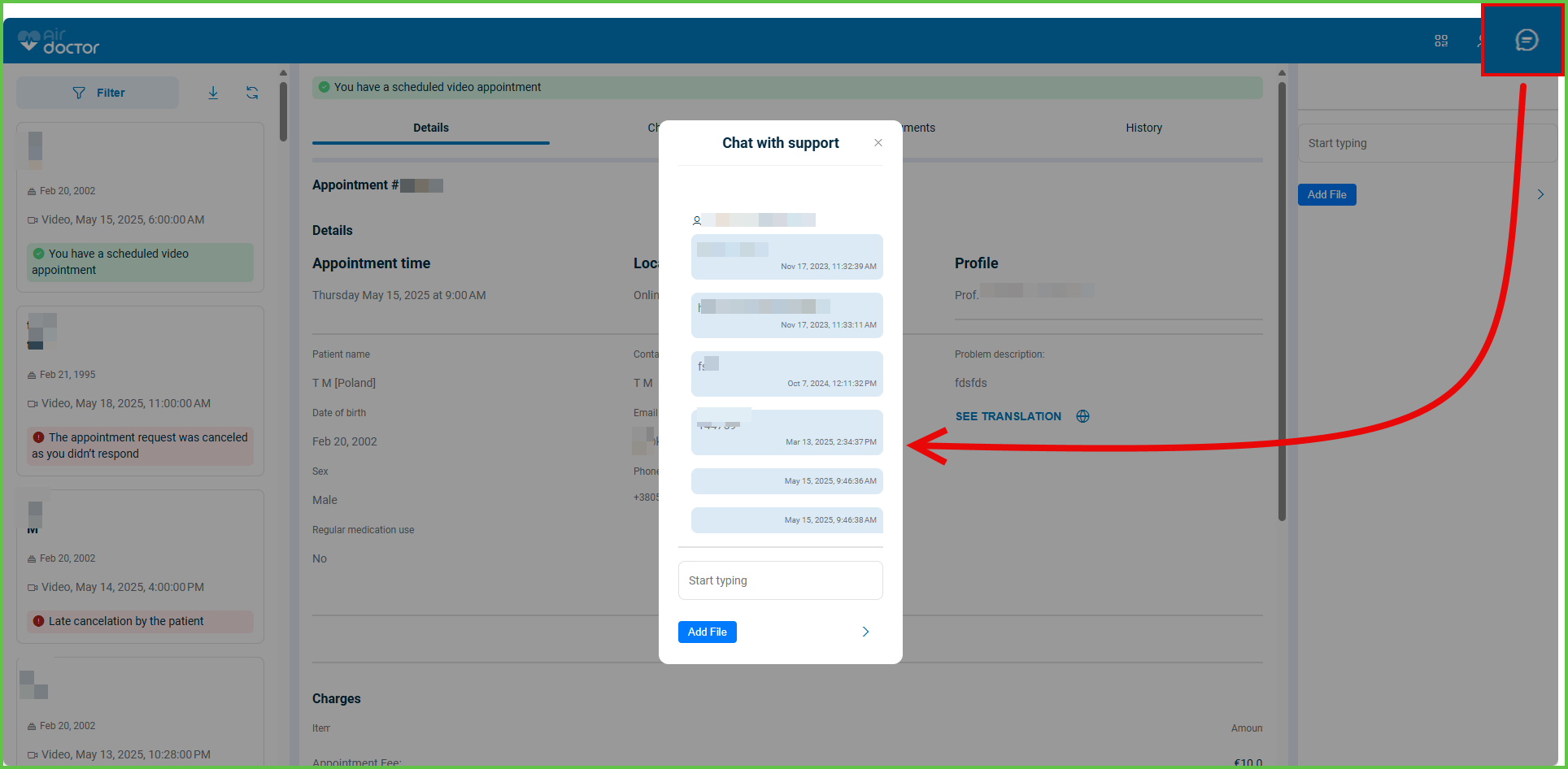
This screen includes:
- A list of chat threads grouped by appointment and ordered by activity.
- Sender identification and timestamps for each message.
- Support for text messages and a single file attachment per message.
- Visual separation between incoming and outgoing messages.
- Unread indicators for threads with new messages.
- Infinite scrolling to load older messages.
- Message visibility rules based on appointment state.
- Persistent message history for audit and review.
Workflows
Send a Message
- From the navigation menu or an appointment screen, select Chat with support.
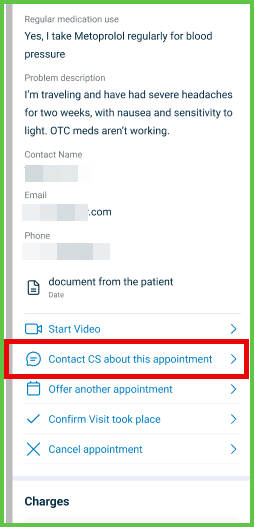
- In the message input field, enter a message.
- (Optional) Attach one file.
- Select Send.
- Verify that the message appears in the chat thread.
View Previous Messages
- Open an existing chat thread.
- Scroll upward.
- Select Load more messages when available.
- Review earlier messages without changing the current scroll context.
Validations
These scenarios describe how the app validates the Chat screen and what the integrator can expect.
| Scenario | App Behavior | SDK Output | Example |
|---|---|---|---|
| The user submits an empty message. | The app disables the send action. | No request sent. | — |
| The user attaches more than one file. | The app replaces the existing attachment. | Updated draft state only. | — |
| The file exceeds size or type limits. | The app blocks upload and displays feedback. | Validation error; message not sent. | — |
| The appointment does not support chat. | The app blocks chat access. | Error response. | — |
| Older messages exist in the thread. | The app displays Load more messages. | Patch response with older messages. | — |
Actions
These scenarios describe how the app responds to actions on the Chat screen and what the SDK returns.
| Scenario | App Behavior | SDK Output | Example |
|---|---|---|---|
| The user sends a valid message. | The app appends the message to the thread and clears the input. | Update set with new message. |  |
| The user loads previous messages. | The app prepends older messages and preserves scroll position. | Update set with older messages. |  |
| A new message arrives in an inactive thread. | The app displays an unread indicator. | Thread metadata update. | — |
| The user closes the chat. | The app marks messages as read. | State update only. | — |
Endpoint Resources
Present Chat
PUT
/profile/messages/user-chat
Returns the chat interface for the selected appointment or support context.
On mobile devices, the app displays a full-screen view.
On desktop devices, the app displays an embedded or floating panel.
| Variant | Behavior | Example |
|---|---|---|
| Mobile | Opens as a full-screen interface. User can type and send messages from a dedicated page. | 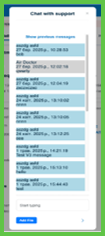 |
| Desktop | Appears embedded in the appointment list or as a floating window near the bottom-right side. | 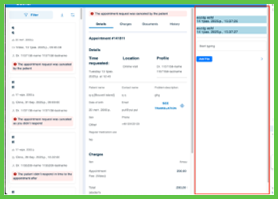 |
UI Element Types
| Level | Reference | Type | Value | Placement |
|---|---|---|---|---|
| D-1 | spacer | Spacer | (for CS Chat on desktop, which is a popup) | |
| D-1 | close | Link | [x] (for CS Chat on desktop, which is a popup) | ~ |
| M-1 | tag | Regular | Appointment #appointment id | |
| M-1 | scroll | Scroller | ||
| 1 | spacer | Spacer | ||
| 2 | load-more | Link | Load more messages... | ^ |
| 2 | incoming-{messageId} | Group | 90% | |
| 3 | attachment | Viewer | Attachment, if present | |
| 2 | new-message-line | Line | ||
| 2 | new-message | Caption | New messages | ~ |
| 2 | new-message-line | Line | ~ | |
| 2 | spacer | Spacer | 10% | |
| 2 | outgoing-{messageId} | Group | ~90% | |
| 3 | attachment | Viewer | Attachment, if present | |
| 2 | newer-messages-marker | Spacer | (invisible; newer messages marker) | |
| 1 | line | Line | ||
| 1 | content | Edit | Start typing | |
| 1 | upload | Upload | (maximum one file) | |
| 1 | send | Link | [>] |
Load Previous Messages
PATCH
/profile/messages/load-more
Returns older messages for the active chat thread and preserves scroll position.
Update Send Message
PATCH
/profile/messages/load-more
Displays new messages in the active chat thread immediately after they are sent or received. The update preserves conversation state and scroll position.
Save Message
POST
/profile/messages/send-message
Creates a new chat message linked to a specific appointment.
The request supports plain text messages and an optional single file attachment.
Parameters
| Name | Type | Required | Description |
|---|---|---|---|
content | String | Yes | Message body text |
appointment-id | int | Yes | Appointment ID for associating the message |
file | File | Yes | File attachment, such as PDF, image, or document |
Errors
| Code | Description |
|---|---|
DOCTOR_COMMUNITY_CHAT_DISABLED | Chat is disabled for this appointment |
FIELDS_VALIDATION_ERROR | One or more input fields are missing or invalid |